Insights help teams understand:
conversation trends
AI resolution performance
support activity
customer engagement
operational health
These metrics help businesses improve both AI workflows and customer support quality over time.
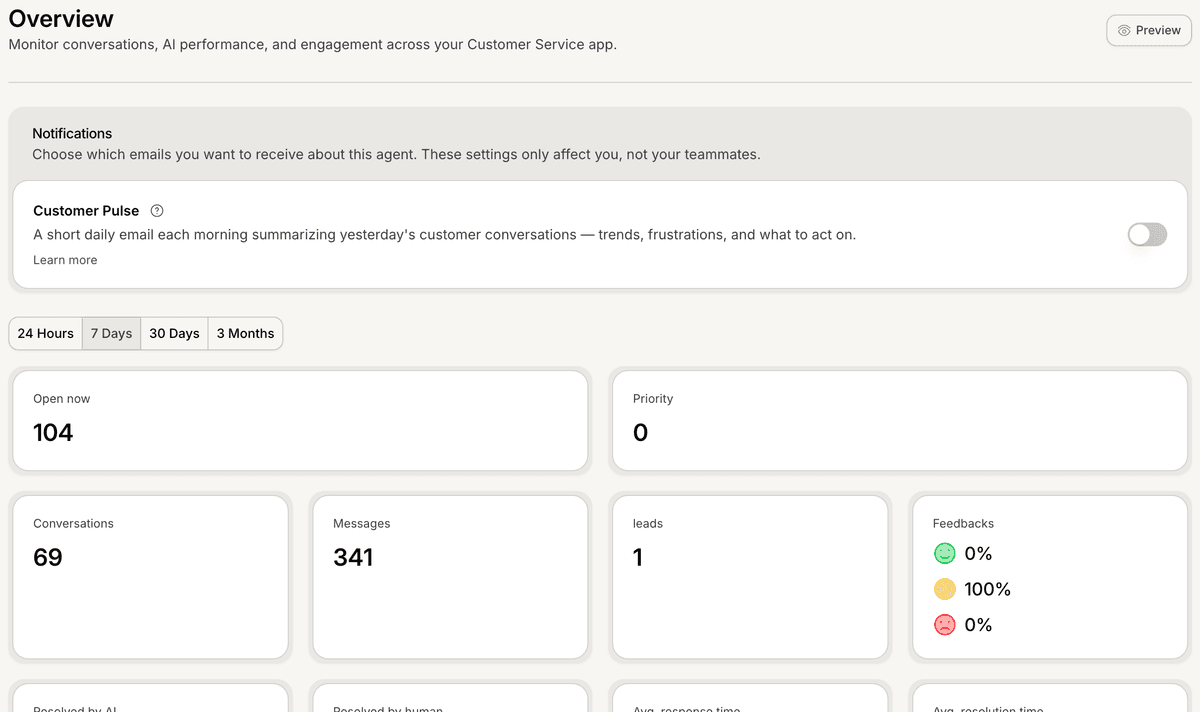
Open Insights
To access Insights:
Open your AI Agent workspace
Go to Insights
Inside this section, you can review analytics and workspace performance metrics.
Review conversation metrics
Insights may include metrics such as:
total conversations
total messages
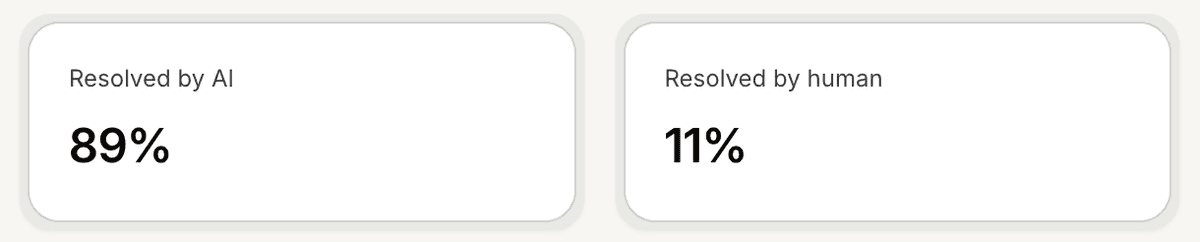
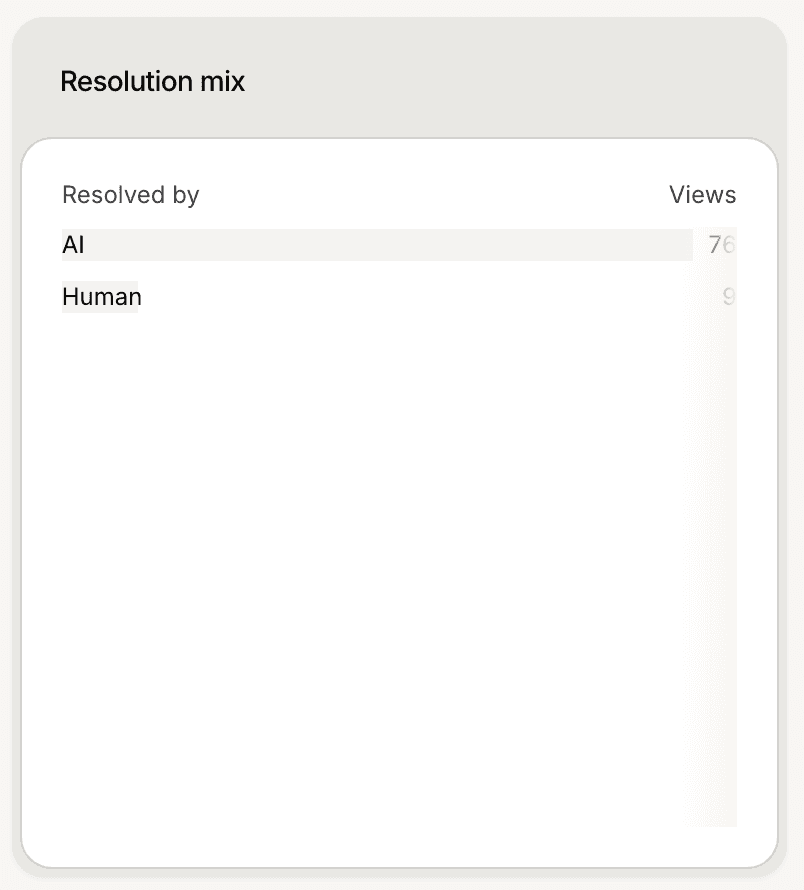
AI resolution rate
human resolution rate
average response time
These metrics help teams understand how customers interact with the AI experience.
Understand AI resolution
The AI Resolution metric helps measure how often conversations are successfully handled by AI without requiring human intervention.
Higher AI resolution rates may indicate:
strong knowledge quality
effective AI instructions
well-optimized support workflows
This helps teams evaluate overall AI effectiveness.
Understand human resolution
The Human Resolution metric helps track conversations that required human assistance.
This may include:
escalations
support handoffs
unresolved AI conversations
Monitoring this metric helps teams identify workflows that still require manual support.
Monitor customer engagement
Insights also help teams review:
conversation activity
customer participation
engagement trends
support demand over time
This helps businesses better understand customer behavior patterns.
Use date filters
Inside Insights, you can filter analytics by time period.
This helps teams review:
daily activity
weekly trends
monthly performance
long-term growth
Filtering makes it easier to compare operational changes over time.
Use Insights to improve AI
Many teams use Insights to:
improve AI instructions
expand support content
optimize workflows
identify recurring customer issues
Operational analytics often reveal the most important improvement opportunities.
Review Insights regularly
Consistent analytics reviews help teams:
monitor support quality
improve AI performance
identify workflow problems
scale customer operations more effectively
This becomes increasingly important as conversation volume grows.
PRO TIP:
Monitor AI Resolution and Human Resolution together instead of separately. The balance between both metrics usually provides the clearest picture of AI performance quality.
Next steps
Monitor AI performance
Understand Customer Pulse
Use AI Analysis