Conversation details help support teams review:
customer messages
AI responses
support activity
escalations
assignments
conversation history
This helps teams improve both AI workflows and customer support quality.
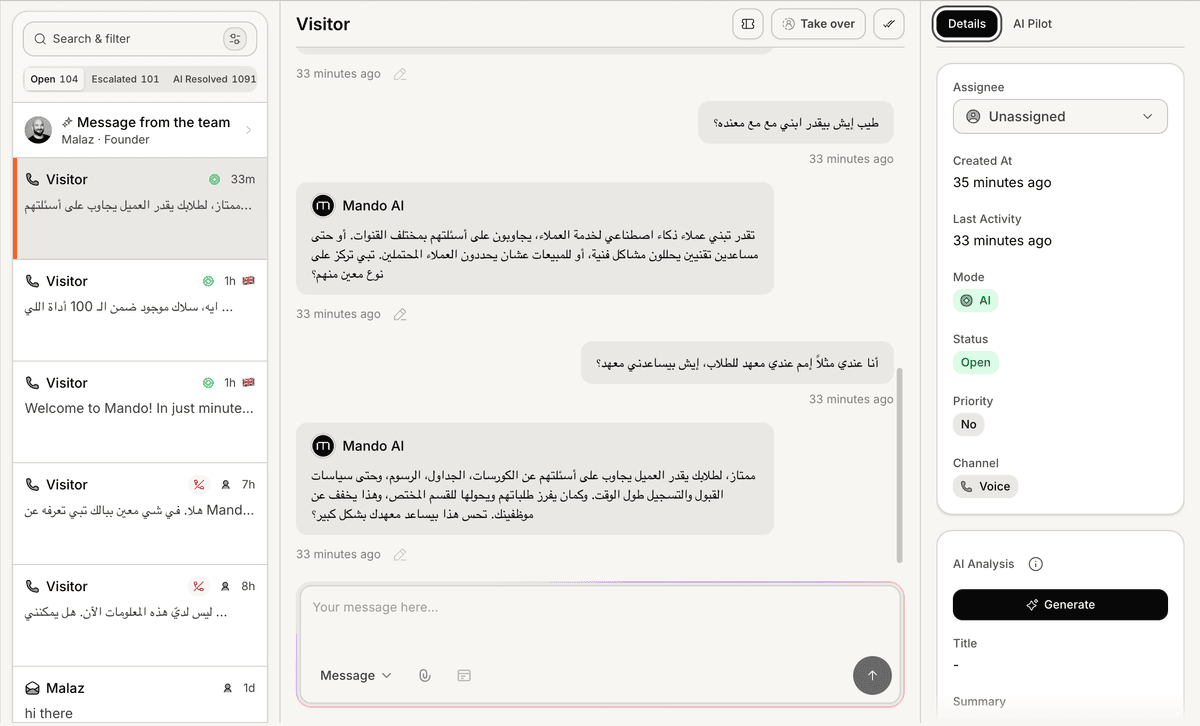
Open a conversation
To review conversation details:
Open your AI Agent workspace
Go to Inbox
Select a conversation
The full conversation view will open inside the Inbox.
Review the conversation history
Inside the conversation view, you can review:
customer messages
AI replies
timestamps
support interactions
escalation activity
This helps teams understand the complete support journey.
Review AI-generated responses
Conversation details help teams evaluate:
answer quality
response accuracy
AI behavior
support consistency
This is useful for identifying:
weak responses
missing knowledge
unclear workflows
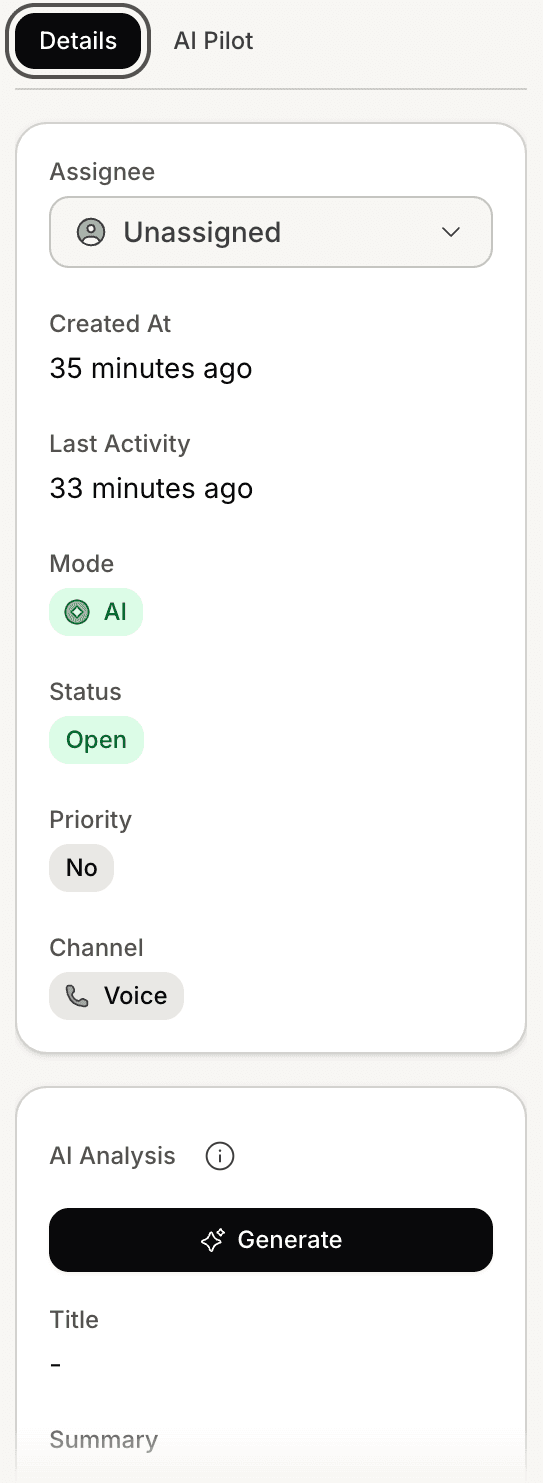
Review conversation metadata
Depending on the workflow, conversations may include additional details such as:
assigned teammate
channel source
customer information
AI analysis
escalation status
This helps teams organize support workflows more effectively.
Understand conversation channels
Conversation details may vary depending on the connected channel.
Supported channels may include:
Web Widget
WhatsApp
Messenger
Instagram
Reviewing channel context helps teams better understand customer behavior.
Use conversation reviews to improve AI
Many teams use conversation reviews to:
improve AI instructions
refine support content
identify repetitive questions
optimize escalation workflows
Real customer conversations often reveal the most valuable improvement opportunities.
Monitor escalated conversations
Conversation details can help teams review:
Human Handoff activity
ticket escalations
unresolved support issues
follow-up workflows
This helps maintain smoother collaboration between AI and human agents.
Review conversations regularly
Regular conversation reviews help businesses:
improve support quality
maintain consistent messaging
identify operational gaps
monitor AI performance
This becomes especially important as support volume grows.
PRO TIP:
Conversations where users become confused or repeat the same question are often the best places to improve your AI knowledge and workflows.