Quick Prompts allow you to display predefined prompts or links inside conversations. They can appear at the beginning of a conversation or after a user sends a message.
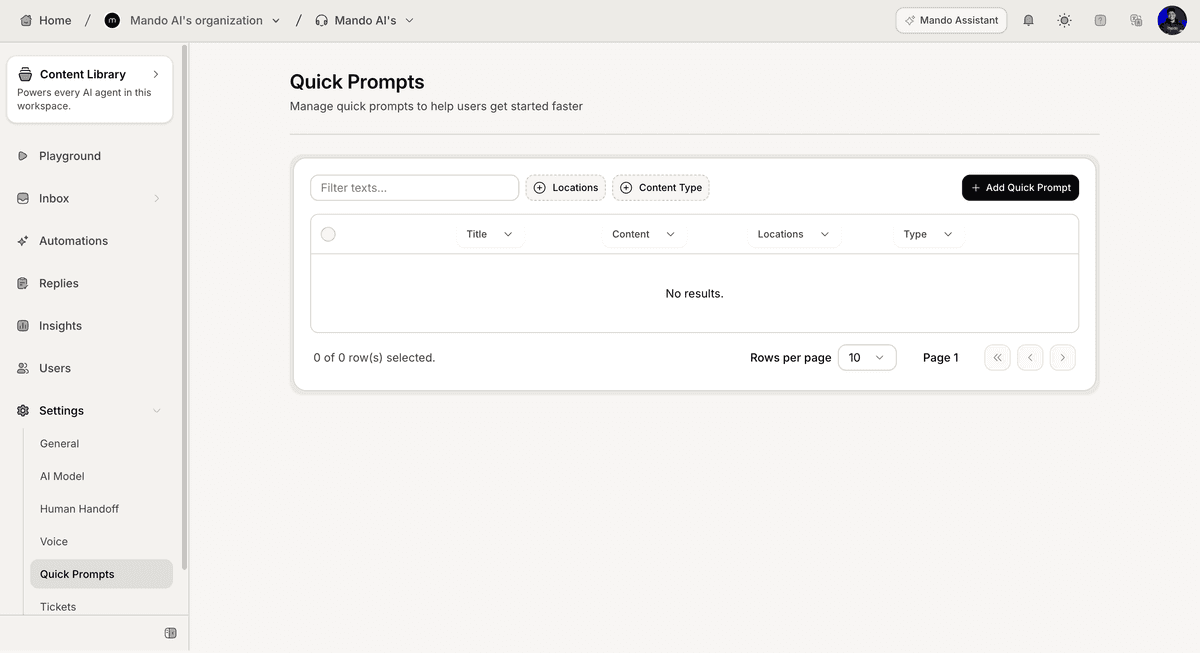
Open Quick Prompt settings
To create a Quick Prompt:
Open your AI Agent
Go to Settings
Open Quick Prompts
Click Add Quick Prompt
The Create Quick Prompt window will open.
Configure the Quick Prompt
Enter the basic prompt information:
Enter a Title
Add an optional Description
Select a Type
Available types:
Prompt
Link
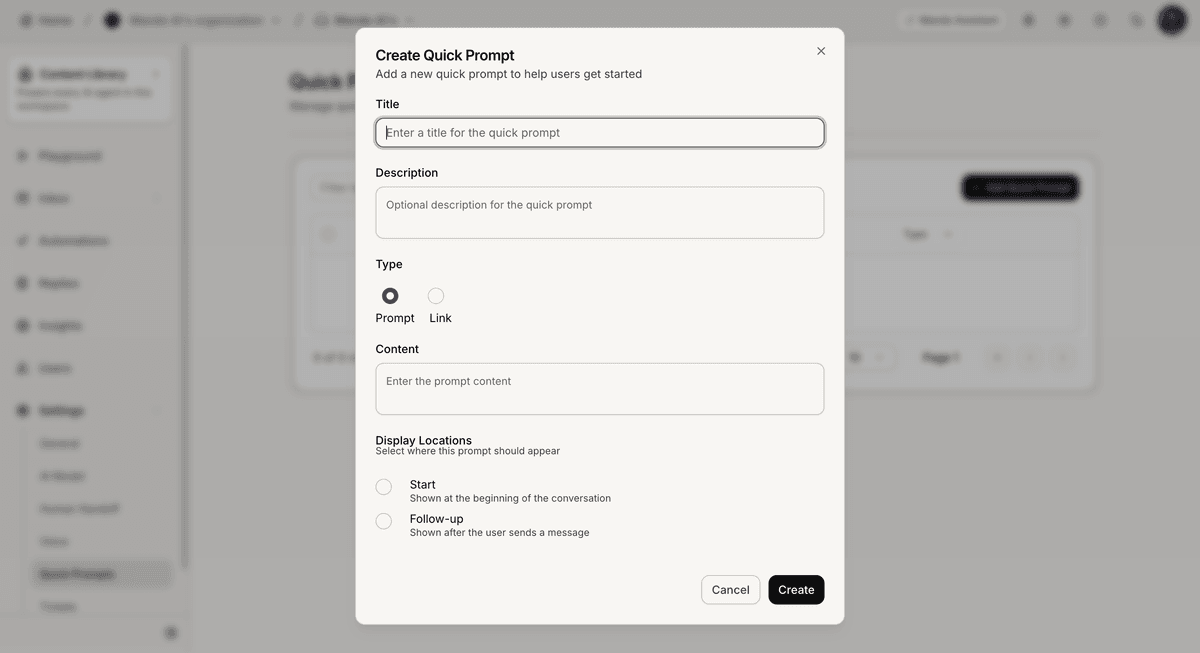
Add prompt content
The content field changes based on the selected type.
For Prompt:
Select Prompt
Enter the prompt text inside Content
For Link:
Select Link
Enter the URL inside Content
Choose display locations
Select where the prompt should appear:
Start → shown at the beginning of the conversation
Follow-up → shown after the user sends a message
You can select one or more locations.
Save the Quick Prompt
After configuring the prompt:
Review the settings
Click Create
The prompt will appear in the Quick Prompts list.
PRO TIP:
Keep prompt titles short and action-oriented so users can understand them quickly.