Conversation starters help users begin conversations quickly by showing:
suggested prompts
onboarding messages
guided entry points
contextual support options
These starters can improve:
engagement
lead collection
support workflows
ecommerce assistance
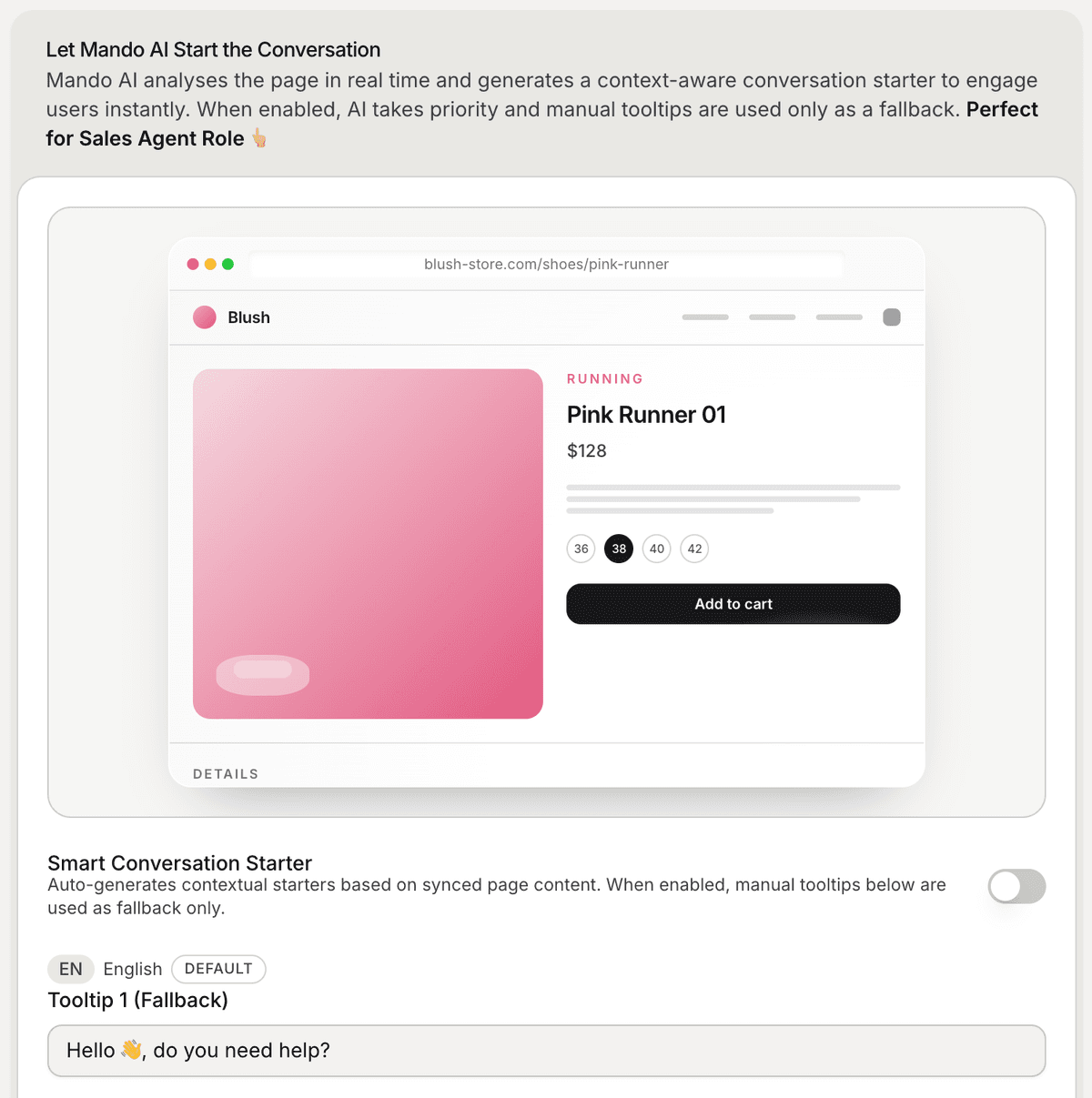
Open the conversation starter settings
To configure conversation starters:
Open your AI Agent workspace
Go to the Playground
Open the Configure step
Scroll to the conversation starter section
Inside this section, you can manage:
Smart Conversation Starter
fallback tooltips
AI-generated prompts
Use Smart Conversation Starter
The Smart Conversation Starter feature allows Mando AI to generate contextual prompts automatically based on the page content.
For example:
ecommerce product pages may trigger product-related prompts
support pages may suggest troubleshooting help
onboarding pages may suggest setup assistance
This helps create more relevant conversations automatically.
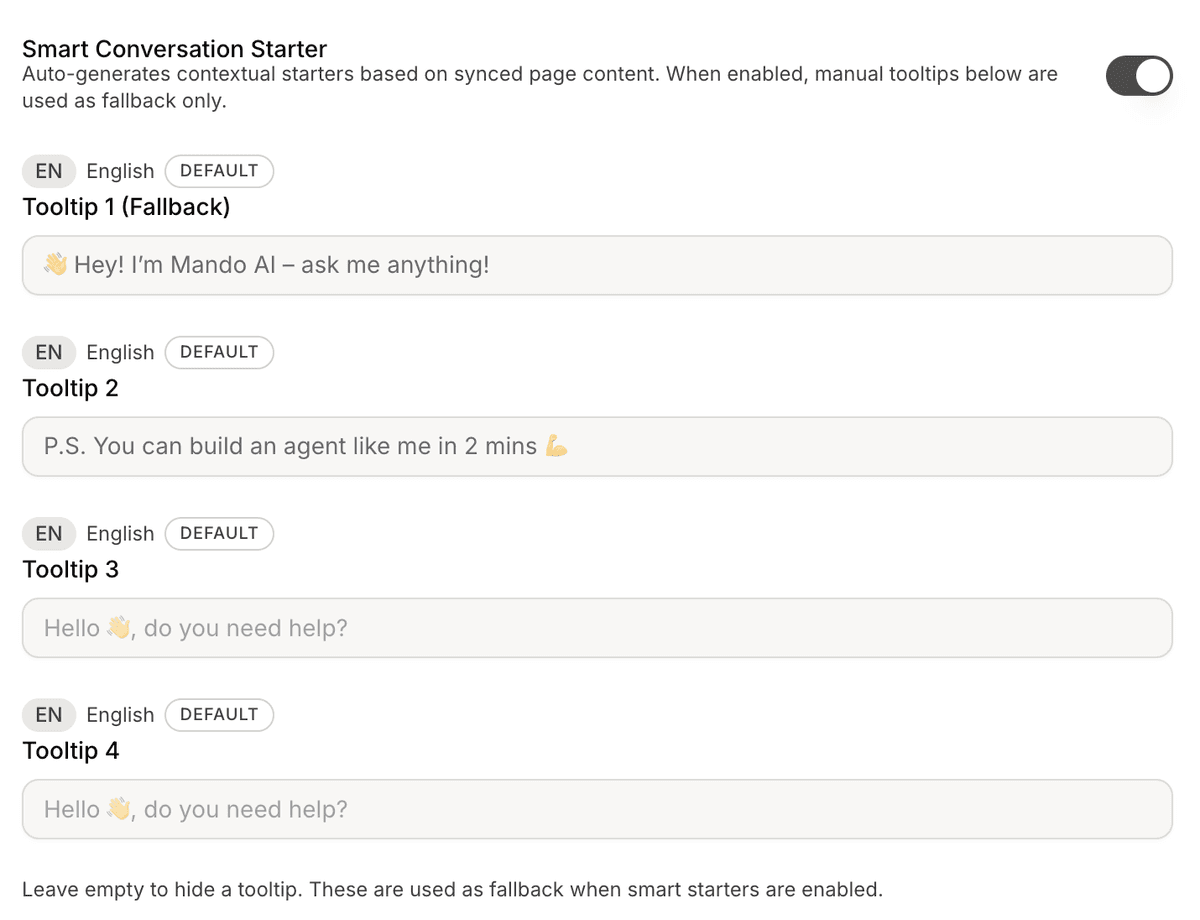
Configure fallback tooltips
If Smart Conversation Starter is disabled or unavailable, Mando AI can display fallback tooltips.
You can configure:
Tooltip 1
Tooltip 2
Tooltip 3
Tooltip 4
Examples:
“Need help choosing the right product?”
“Do you have any shipping questions?”
“Need help getting started?”
Short prompts usually perform better.
Use conversation starters for ecommerce
Conversation starters are especially useful for ecommerce workflows.
Common examples include:
product recommendations
sizing assistance
delivery questions
return policy guidance
checkout support
This helps visitors engage with your AI Agent faster.
Use conversation starters for SaaS onboarding
SaaS teams often use starters for:
onboarding guidance
feature explanations
setup assistance
documentation help
Examples:
“How do I connect my website?”
“How do I install the widget?”
“Where do I upload files?”
Test your conversation starters
After updating your starters:
Open the widget preview
Test different pages and flows
Review how prompts appear
Verify the wording feels natural
Testing helps improve engagement quality.
Keep prompts short and actionable
Good conversation starters are:
short
clear
conversational
action-oriented
Avoid:
long explanations
vague wording
overly technical prompts
Update starters over time
As your workflows evolve, you can:
add new prompts
improve messaging
optimize engagement
adjust based on user behavior
Conversation starters often improve over time through testing and iteration.
PRO TIP:
Conversation starters work best when they help users take immediate action instead of asking broad or generic questions.