AI templates provide pre-configured behavior setups optimized for specific use cases such as:
customer support
sales
technical support
general assistance
Templates help businesses launch AI Agents faster without configuring everything manually from scratch.
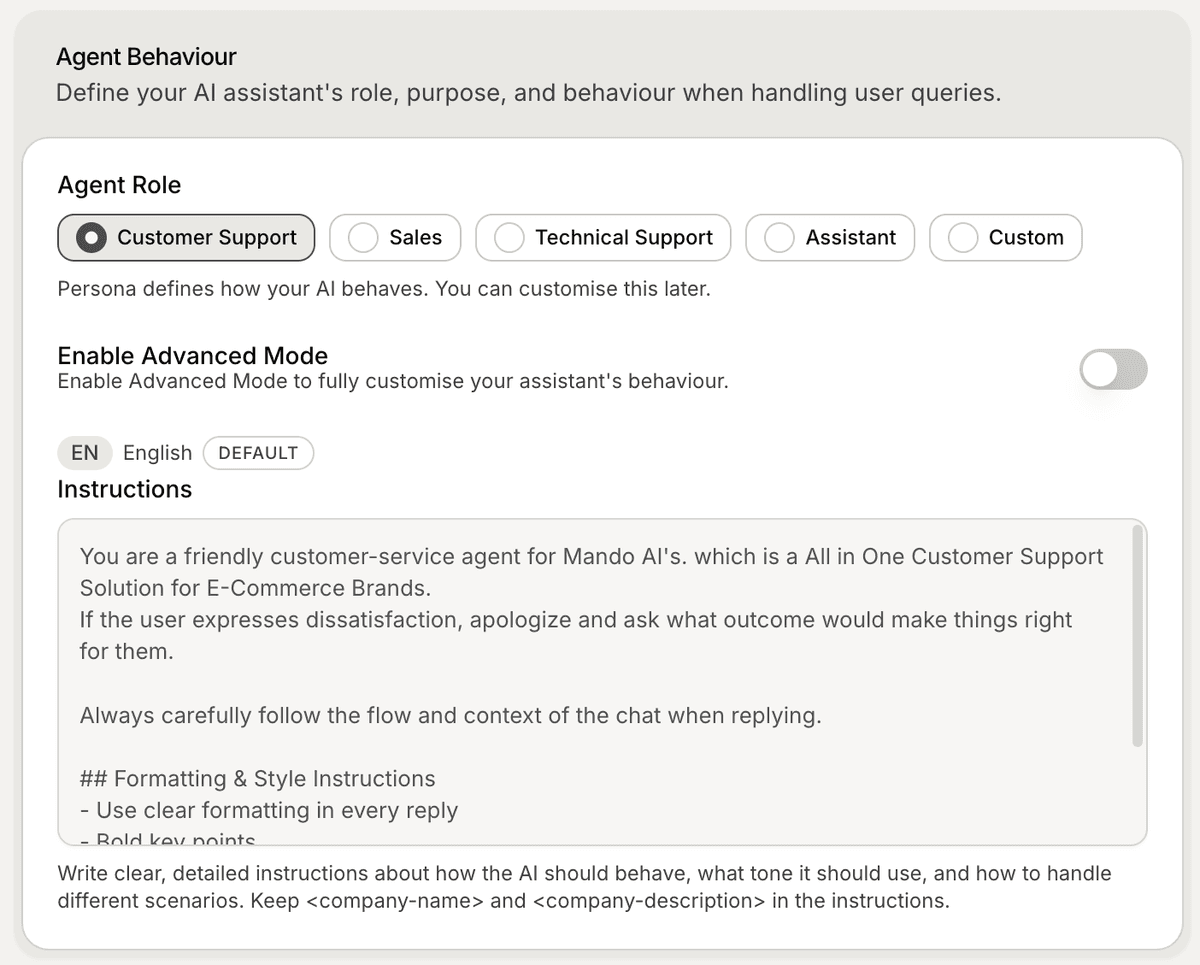
Open the AI template selection
When creating an AI Agent:
Open your workspace
Start creating a new AI Agent
Review the available AI templates
Each template is designed for a different support or business workflow.
Available AI templates
Available templates may include:
Customer Support
Sales
Technical Support
Assistant
Custom
Each template includes different default behavior and response styles.
Customer Support template
The Customer Support template is designed for:
handling support questions
troubleshooting
order assistance
customer communication
This template usually prioritizes:
clarity
consistency
helpful guidance
It works well for ecommerce stores and SaaS support teams.
Sales template
The Sales template is optimized for:
lead engagement
product recommendations
customer discovery
conversion-focused conversations
This workflow is commonly used for:
ecommerce storefronts
lead generation
product-focused support
Technical Support template
The Technical Support template is designed for:
troubleshooting
technical guidance
onboarding assistance
setup support
This template often performs best when connected to:
documentation websites
onboarding guides
internal technical articles
Assistant template
The Assistant template is designed for more general-purpose workflows.
This may include:
business assistance
general Q&A
internal knowledge support
flexible conversations
It works well for broader AI experiences.
Custom template
The Custom template allows you to configure your AI Agent manually.
This is useful if:
you want full control over instructions
your workflow is highly specific
default templates do not match your use case
Custom templates are commonly used for advanced workflows.
Customize templates later
After selecting a template, you can still customize:
AI instructions
AI settings
conversation starters
Human Handoff
Users Capture
Templates are starting points, not permanent limitations.
Choose the right template
The best template depends on:
your business type
customer workflows
support complexity
conversation goals
Many teams start with a default template and refine it over time.
PRO TIP:
Choose the template closest to your primary workflow first. It is usually easier to refine an existing setup than configure everything manually from scratch.