Human Handoff helps teams handle:
complex support issues
sensitive conversations
billing problems
advanced troubleshooting
customer escalations
This creates a hybrid workflow where AI handles repetitive questions while humans manage more advanced cases.
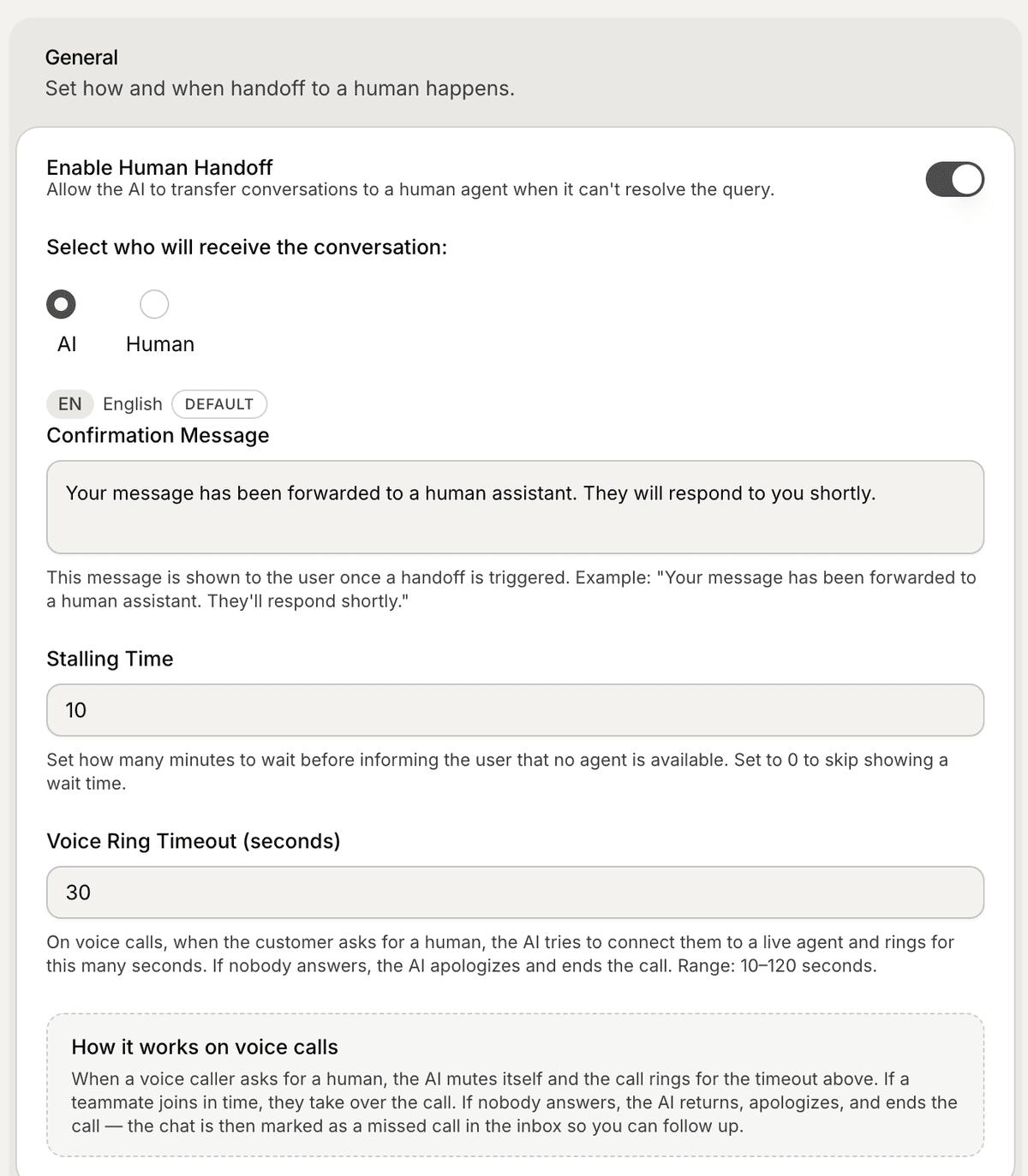
Open the Human Handoff settings
To configure Human Handoff:
Open your AI Agent workspace
Go to Settings
Open Human Handoff
Inside this section, you can configure how conversations move from AI to human support.
Enable Human Handoff
To activate Human Handoff:
Enable the Human Handoff toggle
Save your changes
Once enabled, your AI Agent can escalate conversations when needed.
Choose who receives conversations
You can configure who receives escalated conversations.
Available routing options may include:
AI
Human
This controls how conversations are transferred after escalation is triggered.
Configure the confirmation message
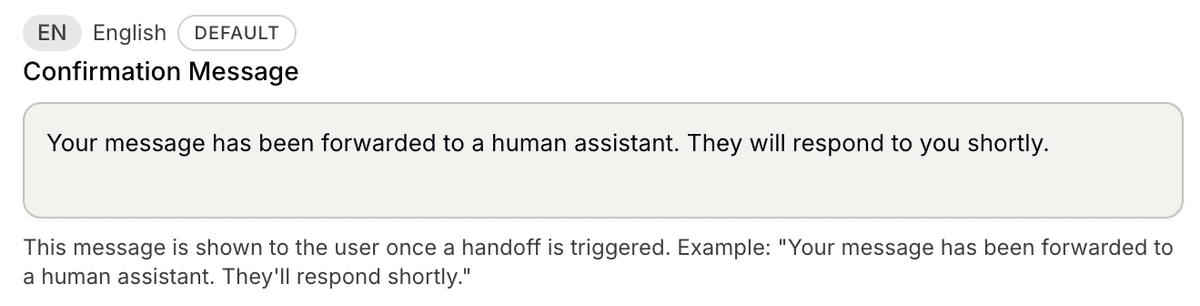
The Confirmation Message is shown to users when the handoff starts.
Example:
“Your message has been forwarded to a human assistant. They will respond shortly.”
This helps set expectations clearly for customers.
Configure stalling time
The Stalling Time setting controls how long Mando AI waits before informing users that no human agent is currently available.
This helps manage customer expectations during support escalation.
Configure voice timeout
For voice workflows, you can configure the Voice Ring Timeout setting.
This controls how long the system waits for a human agent to answer before ending or returning the conversation to the AI.
Use Human Handoff with conversations
Human Handoff works together with:
Inbox
Tickets
AI conversations
support workflows
Escalated conversations can later be:
assigned to teammates
tracked in the inbox
reviewed by support teams
Common Human Handoff use cases
Businesses often use Human Handoff for:
refund requests
billing issues
delivery problems
account access issues
sensitive customer situations
This helps maintain a better support experience for complex cases.
Test your escalation workflow
After enabling Human Handoff:
Start a test conversation
Trigger an escalation scenario
Verify the confirmation message
Check the conversation inside the Inbox
Testing helps ensure the workflow behaves correctly before going live.
Balance AI and human support
Most teams use Human Handoff to:
reduce repetitive work
improve support speed
keep humans focused on advanced cases
AI and human agents usually work best together instead of replacing each other completely.
PRO TIP:
Use Human Handoff for edge cases and complex support requests only. Let the AI continue handling repetitive questions automatically whenever possible.