Different AI models offer different strengths in:
response quality
reasoning
speed
creativity
cost efficiency
Choosing the right model helps balance AI performance and workspace usage.
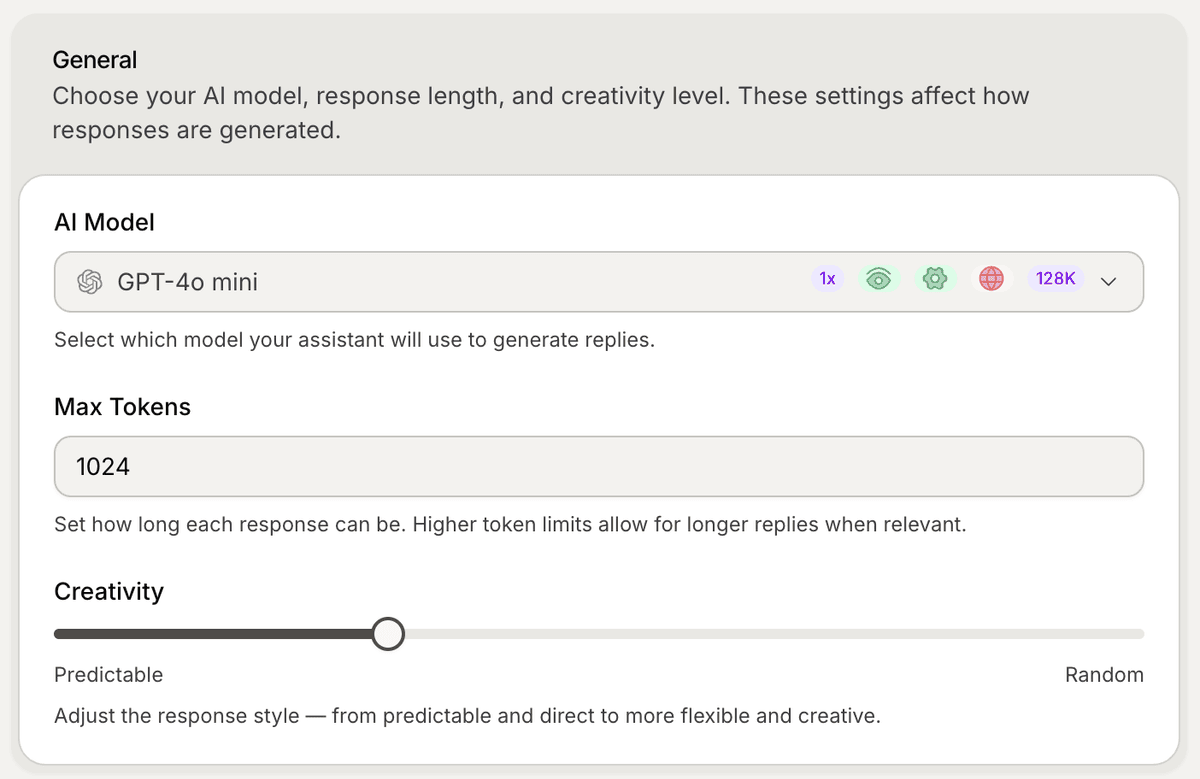
Open the AI model settings
To configure your AI model:
Open your AI Agent workspace
Go to Settings
Open AI Model
Inside this section, you can manage:
AI model selection
creativity level
token limits
AI behavior settings
Choose an AI model
Inside the AI Model dropdown, select the model you want your AI Agent to use.
Different models may vary in:
reasoning quality
response speed
token limits
cost per request
Some models are optimized for:
customer support
fast responses
complex reasoning
longer conversations
Understand token limits
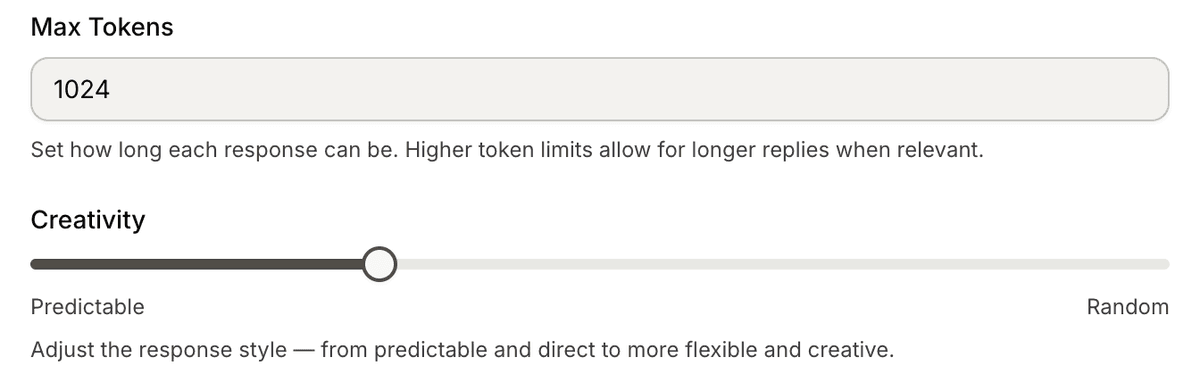
The Max Tokens setting controls how long AI responses can be.
Higher token limits allow:
longer answers
more detailed explanations
larger context windows
Lower token limits usually:
reduce usage
improve response speed
keep replies shorter
Adjust creativity
The Creativity slider controls how predictable or creative the AI responses are.
Lower creativity:
more grounded answers
more consistent replies
safer support behavior
Higher creativity:
more flexible responses
more conversational tone
more variation in wording
For most support workflows, lower creativity usually works best.
Use AI models with instructions
AI models work together with:
custom instructions
synced knowledge
snippets
internal articles
website content
The model generates responses using both:
your connected knowledge
your configured AI behavior
Test your model selection
After changing models:
Open the Playground
Ask realistic customer questions
Compare response quality
Review tone and accuracy
Testing helps identify which model works best for your workflow.
When should you change models?
Many teams switch models when they:
need faster replies
want better reasoning
support larger conversations
optimize usage costs
improve multilingual performance
Different workflows may require different AI behavior.
Best practices for model selection
For most support workflows:
use lower creativity
keep responses concise
test real customer questions
compare results before scaling
The best model usually depends on your:
support volume
business complexity
customer expectations
PRO TIP:
Start with a balanced support-focused model first. Test performance using real customer conversations before optimizing for speed or creativity.