Voice Agents help businesses create more natural conversational experiences across phone and voice-based workflows.
This is useful for:
customer support
call automation
lead qualification
appointment workflows
multilingual support
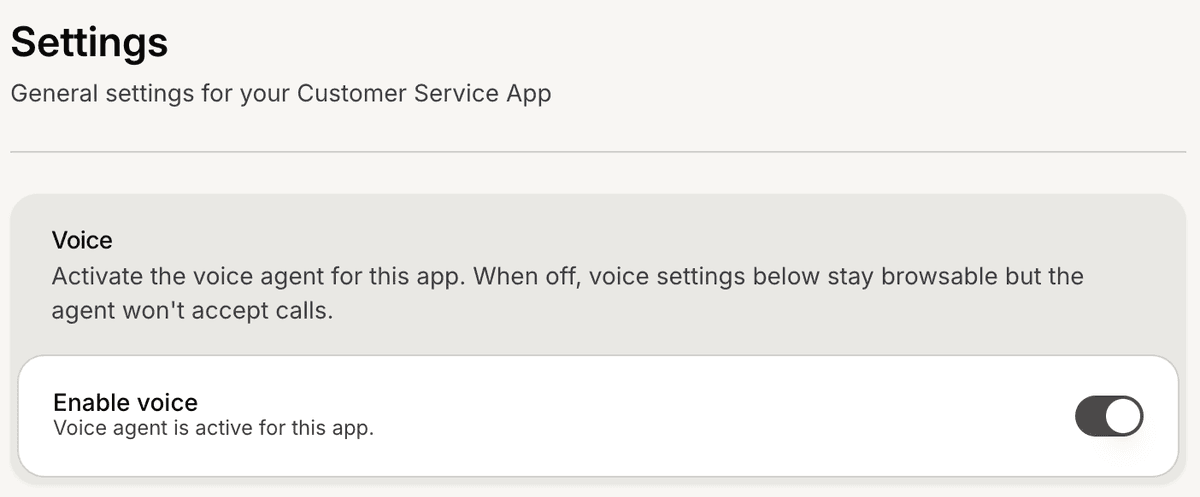
Open the Voice settings
To configure Voice Agents:
Open your AI Agent workspace
Go to Voice
Inside this section, you can configure voice behavior and operator settings.
Enable Voice Agents
To activate voice conversations:
Enable the Voice Agent toggle
Save your changes if required
Once enabled, your AI Agent can start handling supported voice interactions.
Configure voice behavior
Inside the Voice settings, you can configure:
voice operator
language
speaking style
response behavior
These settings affect how the AI sounds during voice conversations.
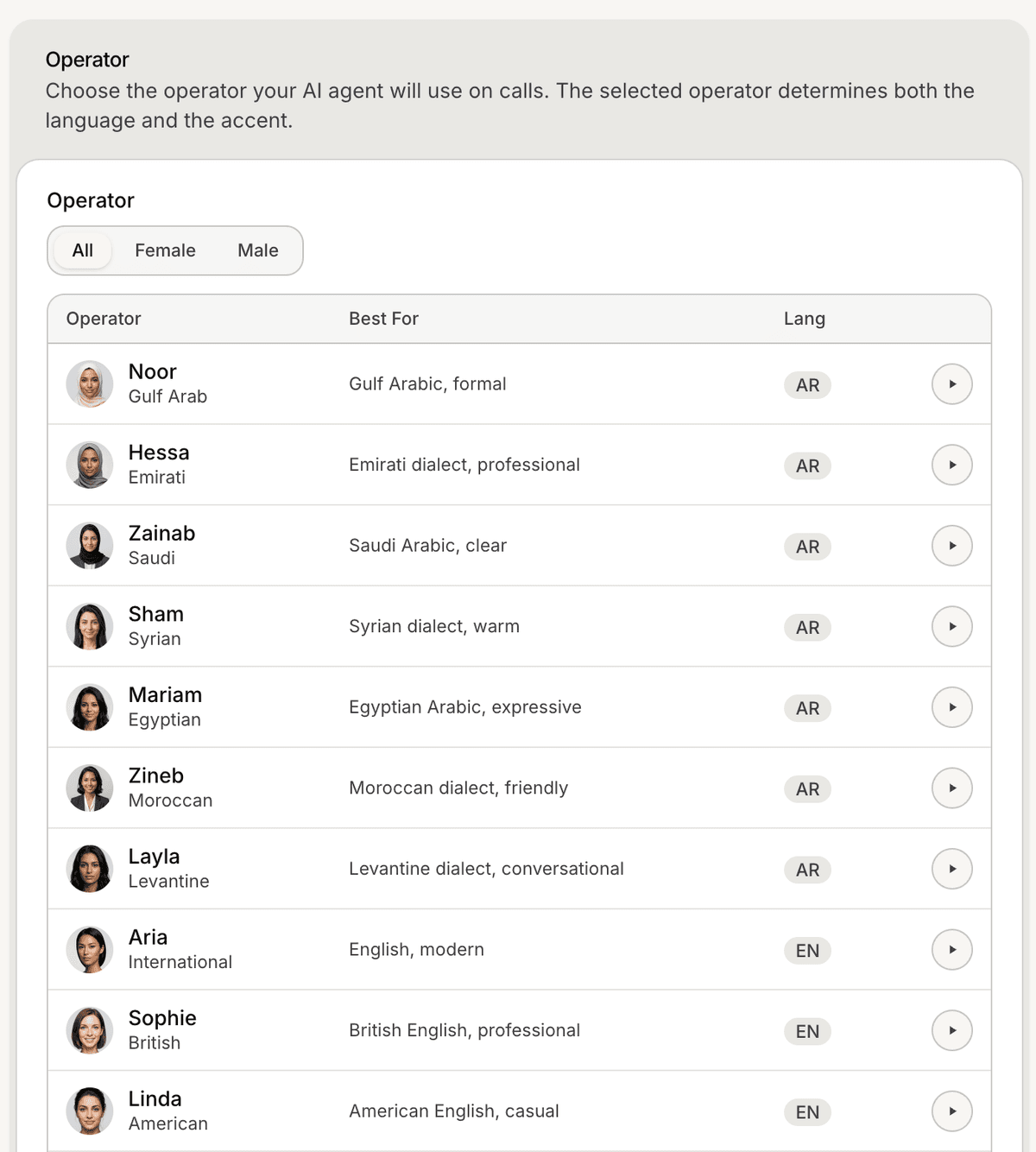
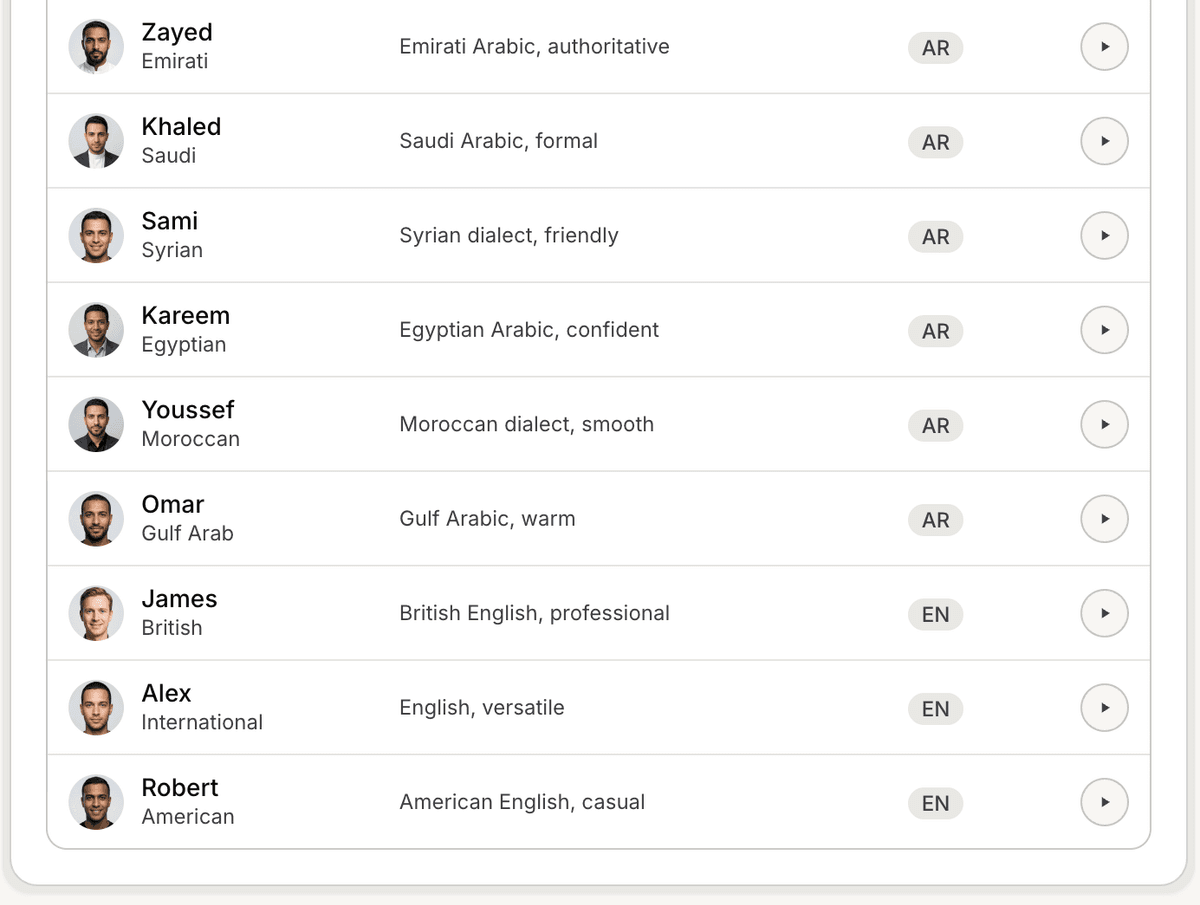
Choose a voice operator
Mando AI supports multiple voice operators with different:
accents
tones
speaking styles
languages
This helps businesses match the voice experience with their audience and brand.
Test the voice experience
After enabling Voice Agents:
Start a test interaction if available
Review voice quality
Verify pronunciation and language behavior
Adjust settings if needed
Testing helps ensure the voice experience feels natural for customers.
Use Voice Agents for multilingual support
Voice Agents can help businesses support:
multiple languages
regional accents
localized customer experiences
This is especially useful for businesses serving customers across different regions.
Improve voice conversations over time
Many teams refine voice experiences by:
testing real customer scenarios
adjusting operators
improving AI instructions
simplifying conversation flows
Short and clear conversational flows usually perform best for voice interactions.
Best practices for Voice Agents
For better voice experiences:
keep responses concise
avoid overly long answers
use natural conversational wording
test pronunciation regularly
Voice workflows usually work best when conversations feel simple and direct.
PRO TIP:
Voice conversations move faster than chat conversations. Keep responses shorter and easier to follow during spoken interactions.