Voice operators control:
voice style
accent
tone
speaking behavior
supported language experience
Different operators can create different customer experiences depending on your audience and workflow.
Open the Voice settings
To manage voice operators:
Open your AI Agent workspace
Go to Voice
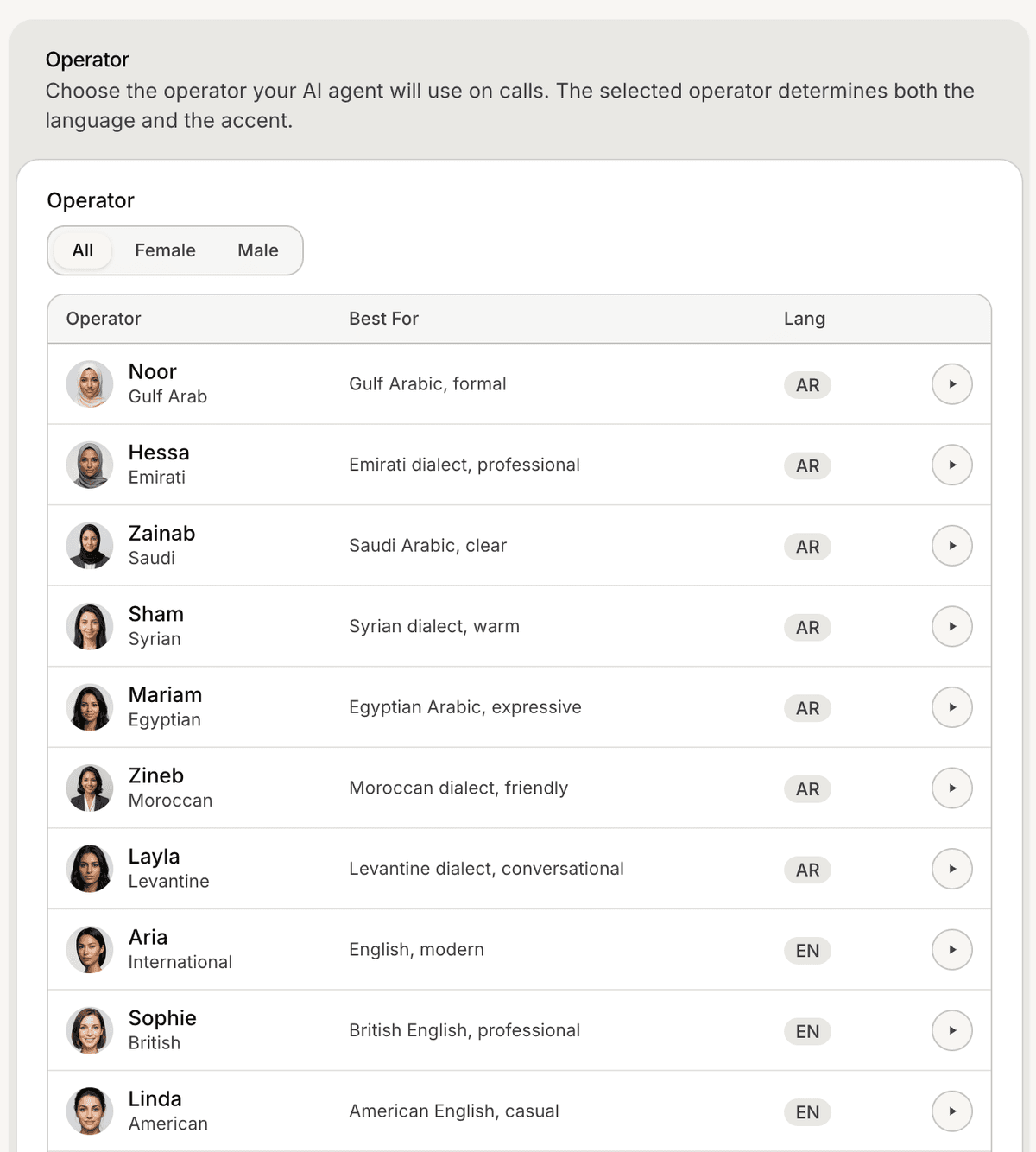
Open the operator selection area
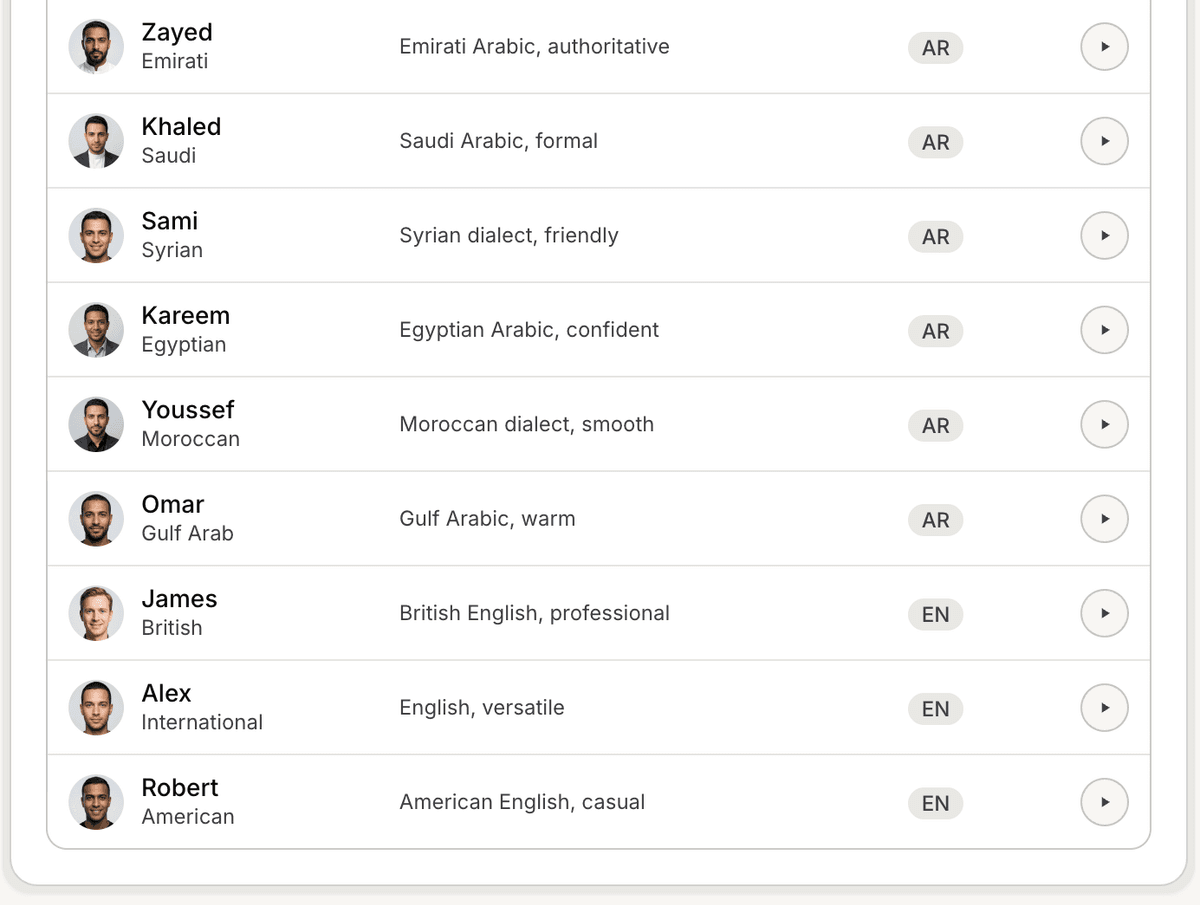
Inside this section, you can browse available voice operators.
Browse available operators
Mando AI provides multiple voice operators with different:
names
voice styles
accents
language support
Some operators may sound:
more conversational
more professional
more energetic
more neutral
This helps businesses choose the voice experience that best matches their brand.
Select a voice operator
To choose an operator:
Open the operator list
Select the operator you want
Save your changes if required
The selected operator will be used for supported voice conversations.

Review operator details
Depending on the operator, you may see:
supported languages
accent information
speaking preview
operator description
This helps compare operators before using them in production workflows.
Use operators for different workflows
Different operators may work better for different use cases.
Examples:
support workflows may prefer calmer voices
sales workflows may prefer more energetic voices
multilingual workflows may require localized accents
Testing different operators helps improve the customer experience.
Test the voice experience
After selecting an operator:
Start a test interaction if available
Listen to pronunciation and tone
Verify language clarity
Adjust operators if needed
Testing helps ensure the voice experience feels natural for customers.
Update operators later
Voice operators can be changed later at any time.
Many teams test multiple operators before deciding which one works best for their workflow.
Best practices for voice operators
For better voice experiences:
use clear and natural-sounding operators
test pronunciation carefully
keep responses concise
match the operator tone to your workflow
Simple and easy-to-understand voice experiences usually perform best.
PRO TIP:
Test voice operators using real customer questions before deploying publicly. Pronunciation and tone can feel very different in live conversations.