Ticket Analytics helps teams track:
ticket volume
resolution progress
team workload
support performance
operational trends
These insights help businesses improve support workflows and response management over time.
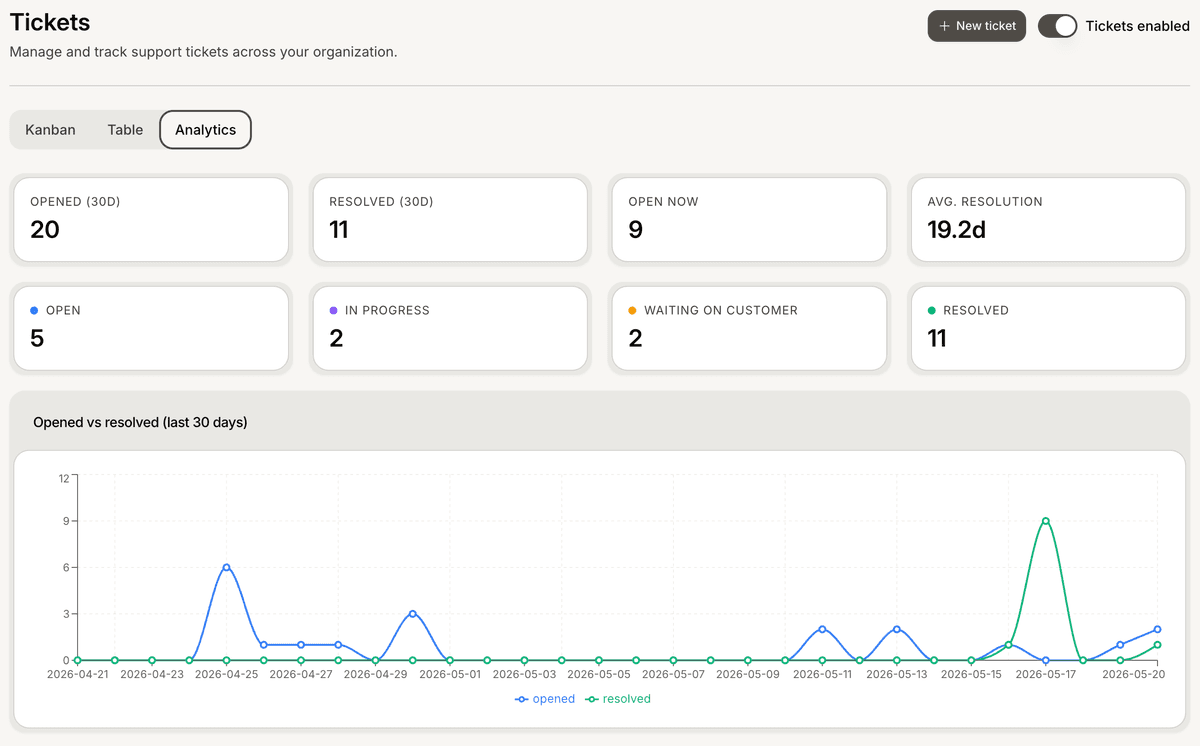
Open Ticket Analytics
To access ticket analytics:
Open your AI Agent workspace
Go to Tickets
Open the Analytics tab
Inside this section, you can review ticket performance metrics and workflow insights.
Review ticket metrics
Ticket Analytics may include metrics such as:
total tickets
resolved tickets
open tickets
pending tickets
average resolution time
These metrics help teams understand overall support performance.
Monitor ticket statuses
Analytics helps teams review how tickets move across statuses such as:
Open
In Progress
Pending
Resolved
This helps identify:
workflow bottlenecks
unresolved requests
overloaded support queues
Review team workload
Ticket Analytics may also help monitor:
teammate assignments
support distribution
workload balance
operational efficiency
This is especially useful for larger support teams handling high ticket volumes.
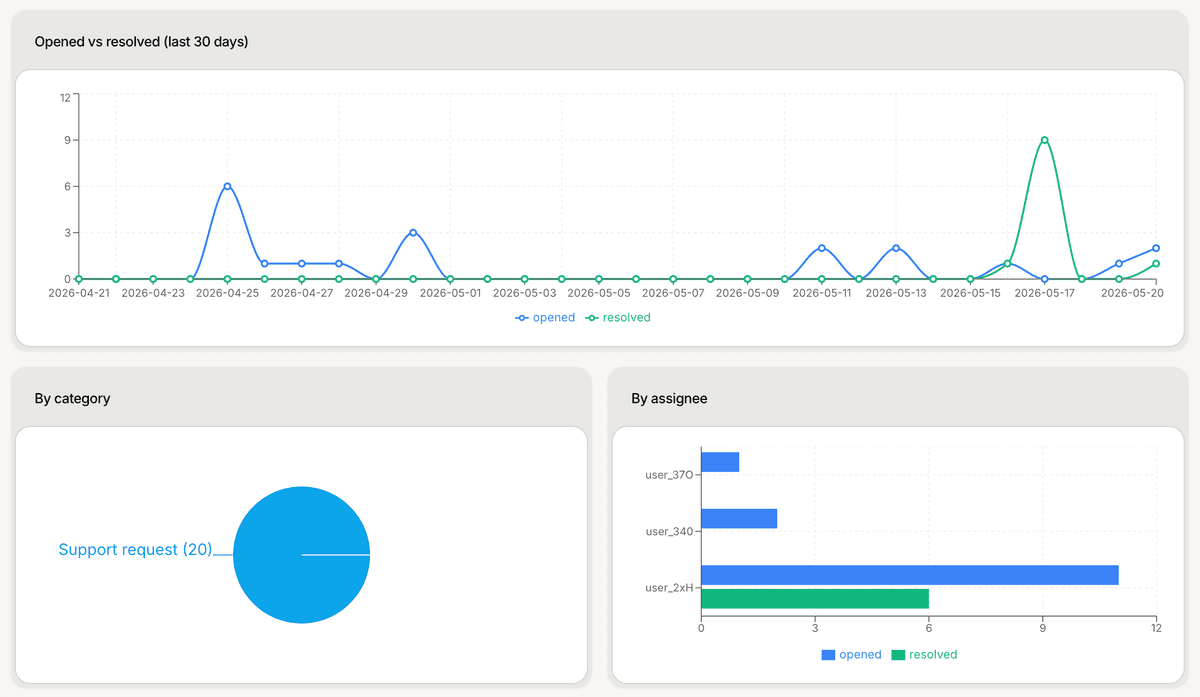
Identify operational trends
Over time, analytics can help teams identify:
recurring customer problems
peak support periods
escalation patterns
slow response workflows
These insights help improve both AI and human support operations.
Use analytics to improve workflows
Many teams use Ticket Analytics to:
optimize ticket routing
improve response handling
reorganize priorities
identify staffing needs
Regular analysis usually improves long-term support efficiency.
Combine analytics with AI workflows
Ticket Analytics works well alongside:
Inbox conversations
Human Handoff
AI Analysis
ticket assignments
This creates a more complete operational support system.
Review analytics regularly
Support teams often review analytics:
daily for active operations
weekly for workflow reviews
monthly for performance reporting
Consistent monitoring helps maintain healthier support workflows.
Best practices for Ticket Analytics
For better operational visibility:
review unresolved tickets regularly
monitor ticket trends over time
identify repetitive support issues
track workload distribution
Well-monitored support systems usually scale more effectively.
PRO TIP:
Focus on unresolved and recurring ticket categories first. These areas usually reveal the biggest opportunities for workflow improvement.