Tickets help teams track:
customer requests
escalations
unresolved issues
follow-ups
operational tasks
This makes support workflows easier to manage across AI and human teams.
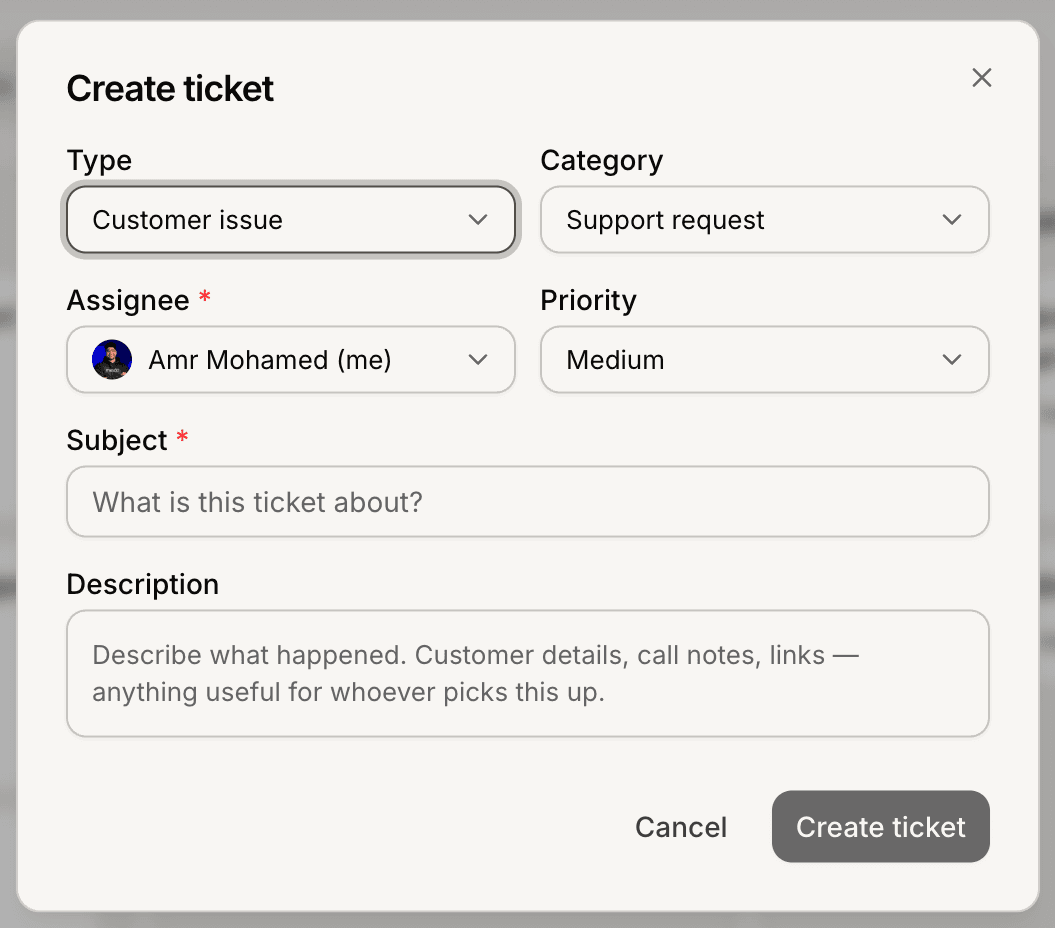
Open the Tickets section
To create a ticket:
Open your AI Agent workspace
Go to Tickets
Click Create Ticket
This opens the ticket creation form.
Add ticket details
Inside the ticket form, you can configure:
ticket title
customer information
category
priority
assignee
subject
These fields help organize support requests more clearly.
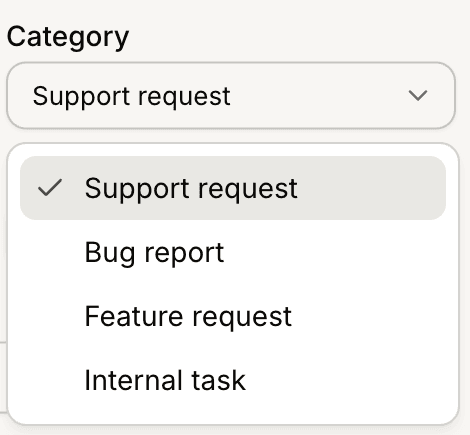
Choose a ticket category
Categories help group similar support requests together.
Examples may include:
Support Request
Bug Report
Feature Request
Internal Task
Well-organized categories help teams manage workflows more efficiently.
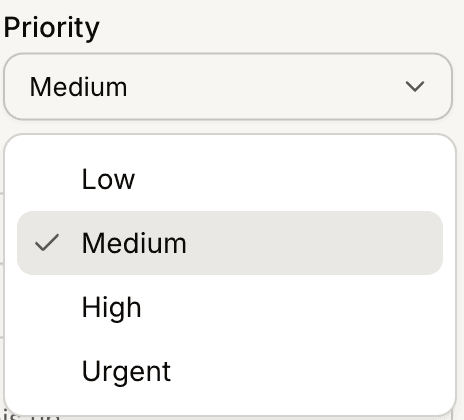
Set ticket priority
Priorities help teams identify urgent requests faster.
Common priority levels may include:
Low
Medium
High
Critical or time-sensitive issues are usually assigned higher priority levels.
Assign the ticket
Tickets can be assigned to teammates for ownership and follow-up.
Assignments help:
prevent duplicate work
improve accountability
organize team workflows
This is especially useful for larger support teams.
Update the ticket status
When creating or managing tickets, you can update statuses such as:
Open
In Progress
Pending
Resolved
Statuses help teams track ticket progress clearly.
Use tickets with AI conversations
Tickets can work together with:
Inbox conversations
Human Handoff
AI escalations
support workflows
This creates a smoother transition between AI support and human assistance.
Manage tickets over time
As support workflows evolve, teams can:
update statuses
change assignees
adjust priorities
review ticket history
This helps maintain organized customer support operations.
Best practices for ticket creation
For better workflow management:
use clear ticket titles
assign priorities consistently
avoid duplicate tickets
update statuses regularly
Organized ticket systems usually improve response quality and operational visibility.
PRO TIP:
Use ticket categories consistently across your team. Standardized workflows make reporting and support management much easier over time.