Ticket assignments help teams:
distribute workloads
track ownership
avoid duplicate replies
improve accountability
manage escalations more efficiently
Assignments are especially useful for growing support and ecommerce teams.
Open a ticket
To assign a ticket:
Open your AI Agent workspace
Go to Tickets
Open a ticket from either:
Kanban View
Table View
Inside the ticket details panel, you can manage assignments and workflow settings.
Assign a teammate
To assign the ticket:
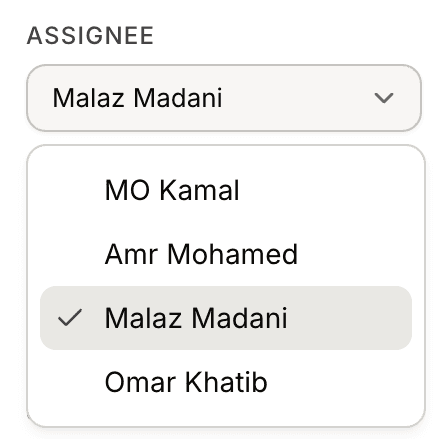
Find the Assignee field
Select a teammate from the dropdown
Save the changes if required
The selected teammate will become responsible for handling the ticket.
Update assignments later
Assignments can be changed at any time.
Teams often reassign tickets when:
support shifts change
escalations happen
specialized support is needed
workloads need balancing
This helps maintain smoother support operations.
Use assignments with ticket statuses
Assignments work best together with:
ticket statuses
priorities
categories
Human Handoff workflows
For example:
a ticket may move from Open to In Progress
while also being assigned to a support teammate
This creates a clearer workflow for support teams.
Organize team workflows
Assignments help teams:
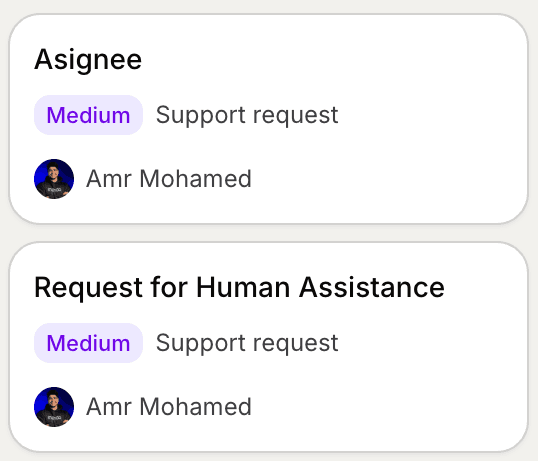
track ticket ownership
reduce confusion
improve response coordination
monitor unresolved issues
This becomes especially important as ticket volume grows.
Combine assignments with Human Handoff
When Human Handoff is enabled:
escalated conversations can later become assigned tickets
support agents can continue the conversation manually
ownership becomes easier to track
This creates a smoother transition between AI and human support.
Best practices for ticket assignments
For better support workflows:
assign tickets early
avoid leaving tickets unassigned
define ownership clearly
review unresolved tickets regularly
Organized assignment workflows usually improve support efficiency significantly.
PRO TIP:
Use assignments together with priorities and statuses to create a clear support workflow across your entire team.