Tickets allow support teams to track, manage, and resolve customer requests more efficiently across AI and human conversations.
Tickets are useful for:
escalations
unresolved conversations
support requests
operational workflows
customer follow-ups
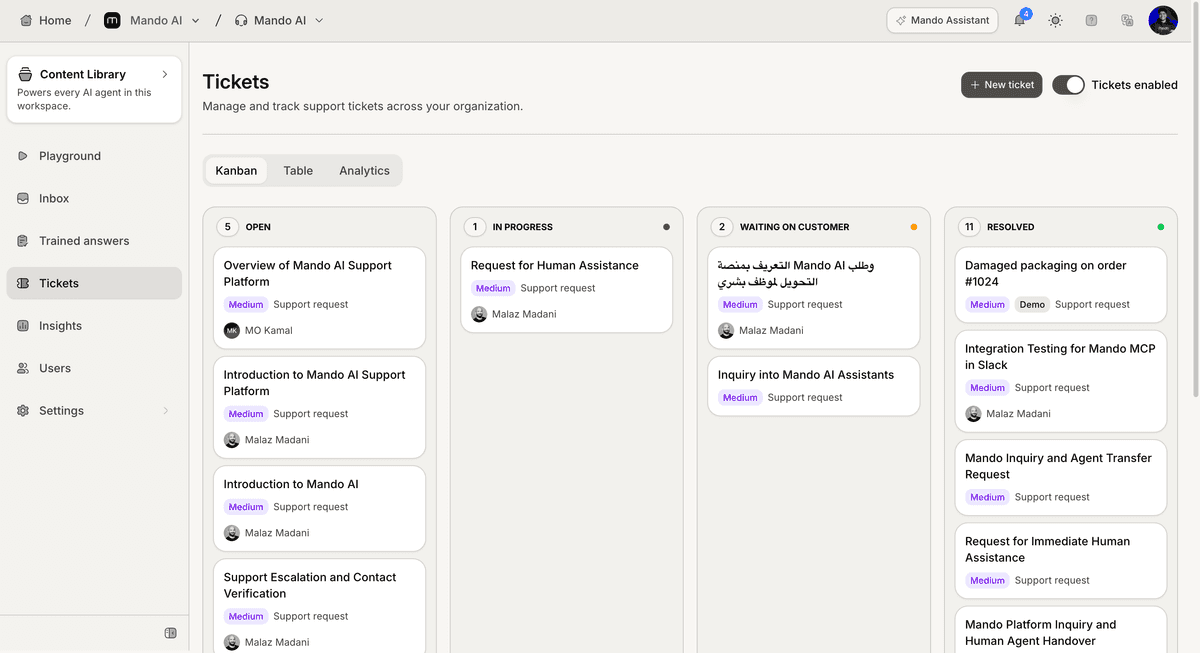
Open the Tickets section
To access tickets:
Open your AI Agent workspace
Go to Tickets
Inside this section, you can manage all customer support tickets in one place.
Understand ticket views
Mando AI supports multiple ticket views.
Kanban View
The Kanban view organizes tickets by status using columns.
Examples:
New
Open
Pending
Resolved
This view helps teams track ticket progress visually.
Table View
The Table view displays tickets in a structured list format.
This helps teams:
sort tickets
filter conversations
review assignments
manage large support volumes
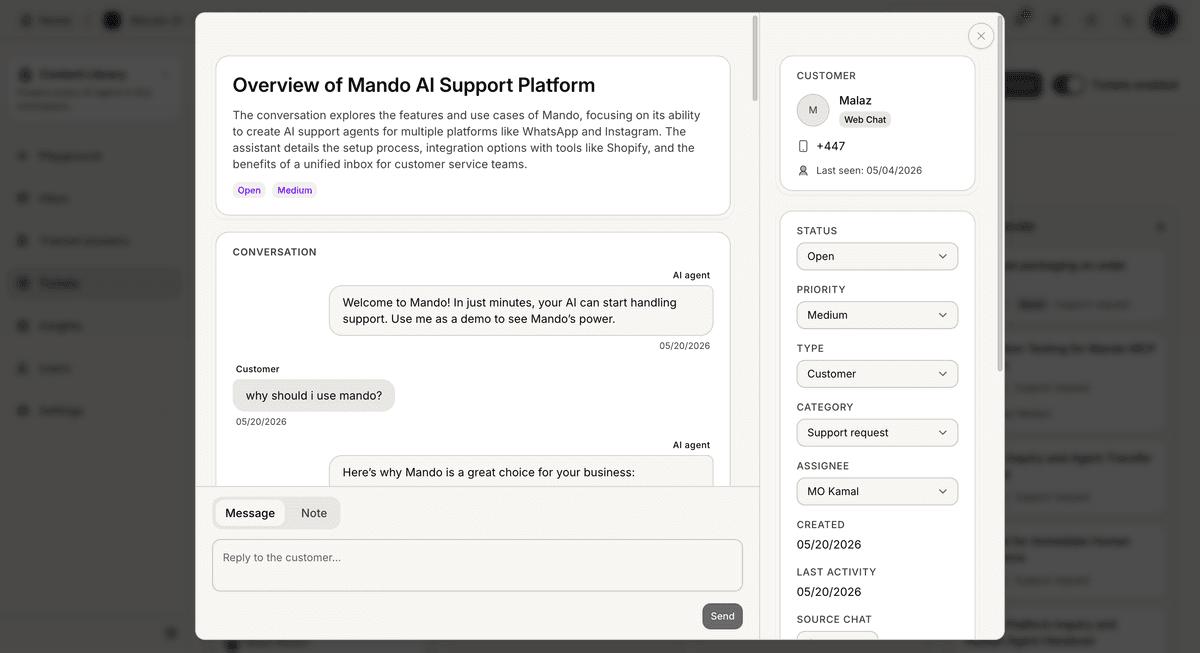
Understand ticket details
Each ticket may include:
customer information
ticket status
priority
assigned teammate
ticket category
conversation history
This helps support teams manage workflows more effectively.
Use ticket statuses
Ticket statuses help teams organize support workflows.
Common statuses may include:
Open
In Progress
Pending
Resolved
Statuses help teams track support progress more clearly.
Use ticket priorities
Priorities help support teams identify urgent requests faster.
Common priority levels may include:
Low
Medium
High
This helps teams focus on critical customer issues first.
Assign tickets to teammates
Tickets can be assigned to support teammates for ownership and follow-up.
Assignments help:
organize responsibilities
prevent duplicate work
improve response management
This is especially useful for larger support teams.
Use tickets with Human Handoff
Tickets work well alongside:
Human Handoff
Inbox conversations
AI support workflows
escalated conversations
This creates a more structured support operation.
Monitor ticket workflows
As ticket volume grows, teams can use tickets to:
organize escalations
track unresolved issues
monitor operational workflows
improve support management
Well-structured ticket systems usually improve support efficiency significantly.
PRO TIP:
Define clear ticket statuses and ownership rules early. Organized workflows become much easier to scale as support volume grows.