What you’re trying to do
Set up a new organisation (workspace) in Mando, then create your first app (Customer Service, Help Center, or Newsroom).
Before you start
You must be an Admin in Mando (or have permission to manage organisations). If you are not an Admin, you may not see Create organization.
Optional: Prepare a square logo image.
Recommended size 1:1
Up to 10MB (as shown in the upload helper text)
Steps
A) Create a new organisation
In the top bar, open the organisation switcher (the dropdown that shows your current organisation name).
Click Create organization.
(Optional) Under Logo, click Upload and select your logo file.
Under Name, enter your Organization name.
Click Create organization.
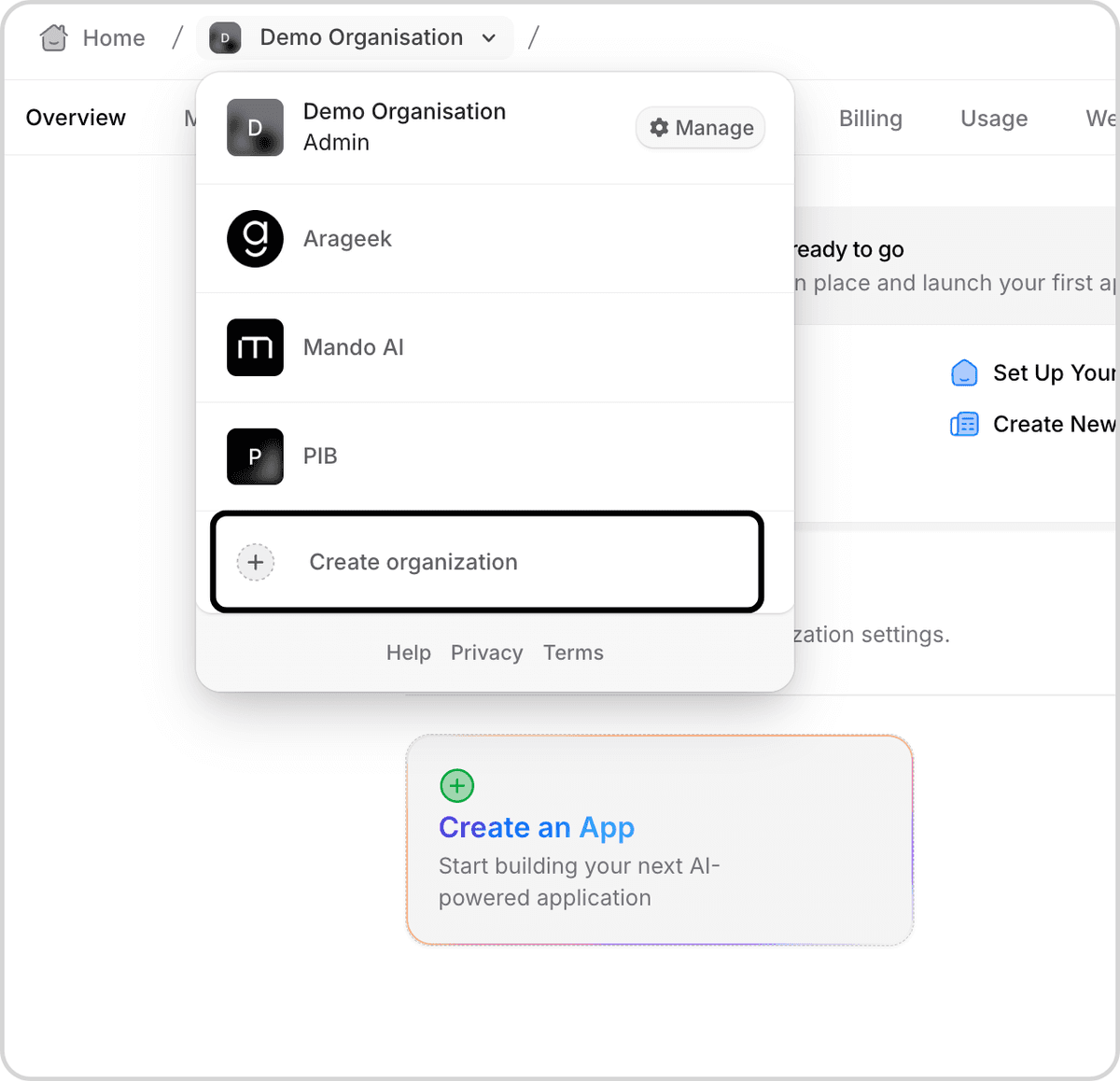
What “good” looks like: Your new organisation appears in the organisation list, and you are switched into it.
B) Switch between organisations (if you have more than one)
Open the organisation switcher in the top bar.
Select the organisation you want to open.
What “good” looks like: The organisation name in the top bar updates to the one you selected.
C) Create your first app
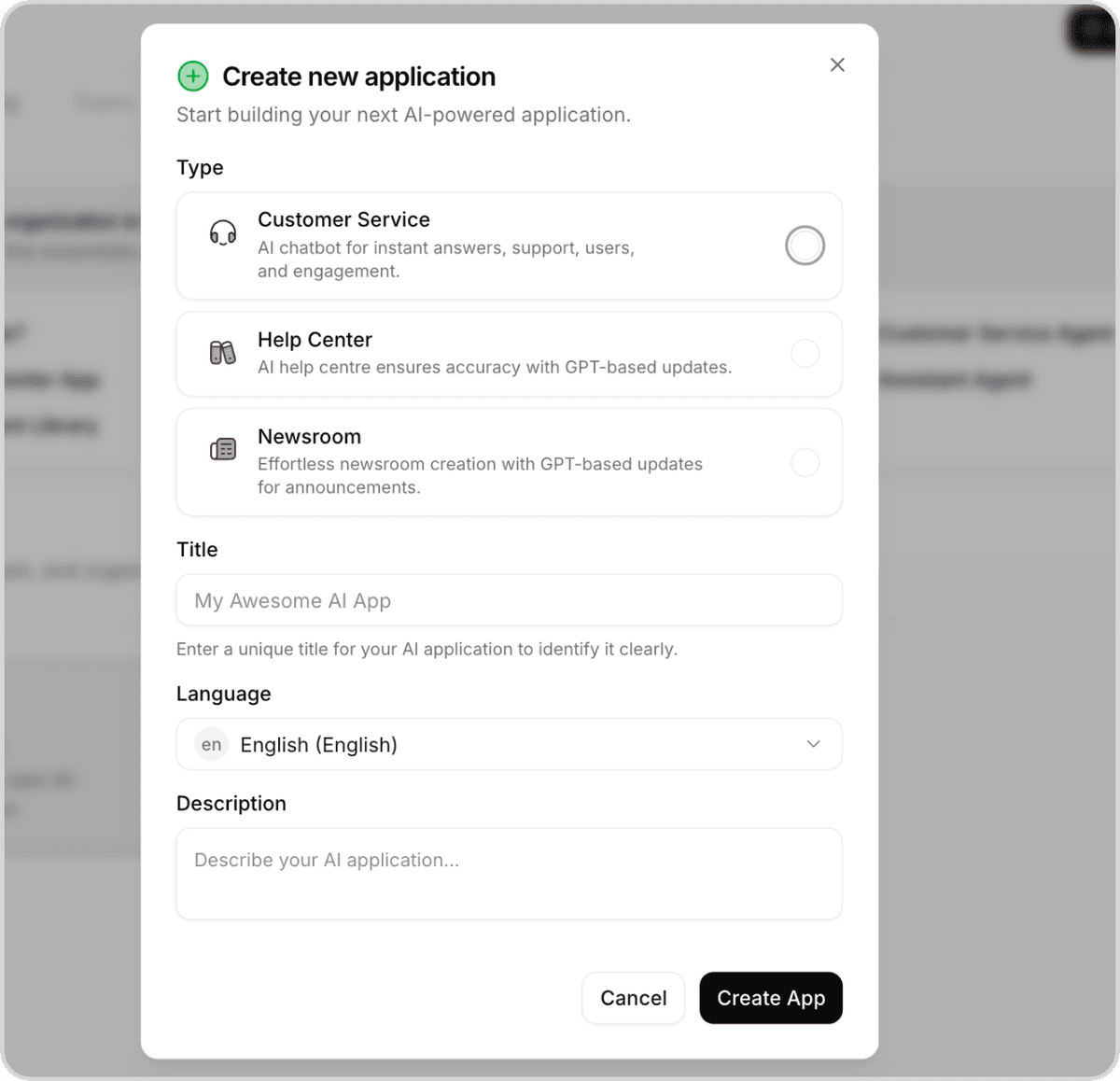
In your organisation, click Create an App (or open the creation flow from your organisation home/overview).
In Create new application, choose an app Type:
Customer Service (AI chatbot for instant answers, support, users, and engagement)
Help Center (publish support articles that train your AI and reduce support load)
Newsroom (publish announcements and updates that stay in sync with your AI content)
In Title, enter a unique name for your app.
In Language, choose the language your app will use.
In Description, add a short description of what this app is for.
Click Create App.
What “good” looks like: The app is created and you’re taken into the app’s workspace/dashboard.
Troubleshooting
“Create organization” is missing
You likely don’t have Admin permissions for organisations.
Ask an Admin to grant you the right access or create the organisation for you.
You can’t click “Create organization”
Make sure you entered a value in Name (the organisation name field).
Logo upload fails
Use a square (1:1) image and keep it under 10MB (as recommended in the upload hint).
Confirm it worked
Open the organisation switcher and confirm your new organisation is listed.
Open the app area and confirm your new app appears in your organisation.
Next steps
If you created a Help Center or Newsroom, start adding articles so your AI has accurate content to use.
If you created Customer Service, connect your content sources (Help Center, Newsroom, Content Library) so the agent can answer accurately.