The Event Catalog helps you review available event types before subscribing webhook endpoints to them.
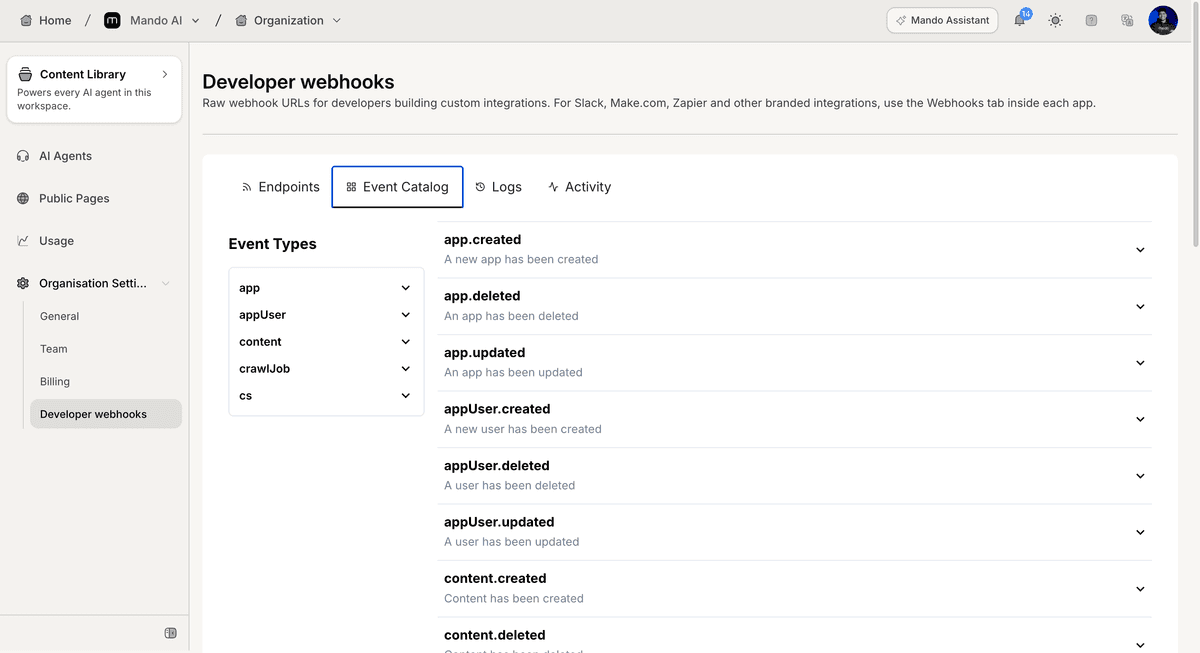
Open the Event Catalog
To access available events:
Open Organization Settings
Open Developer webhooks
Open Event Catalog
The Event Catalog displays available webhook event groups and events.
Browse event categories
Events are organized into categories.
Available categories shown include:
app
appUser
content
crawlJob
chat
message
ticket
activity
Select a category to view its available events.
Review event details
To view more information:
Select an event from the category list
Expand the event section if needed
The event details page displays:
event name
event structure
example payload data
This information helps you understand the data sent by the webhook event.
PRO TIP:
Review event payload examples before subscribing endpoints so your external system can handle incoming data correctly.