Webhook logs help you review recent webhook messages and inspect webhook activity.
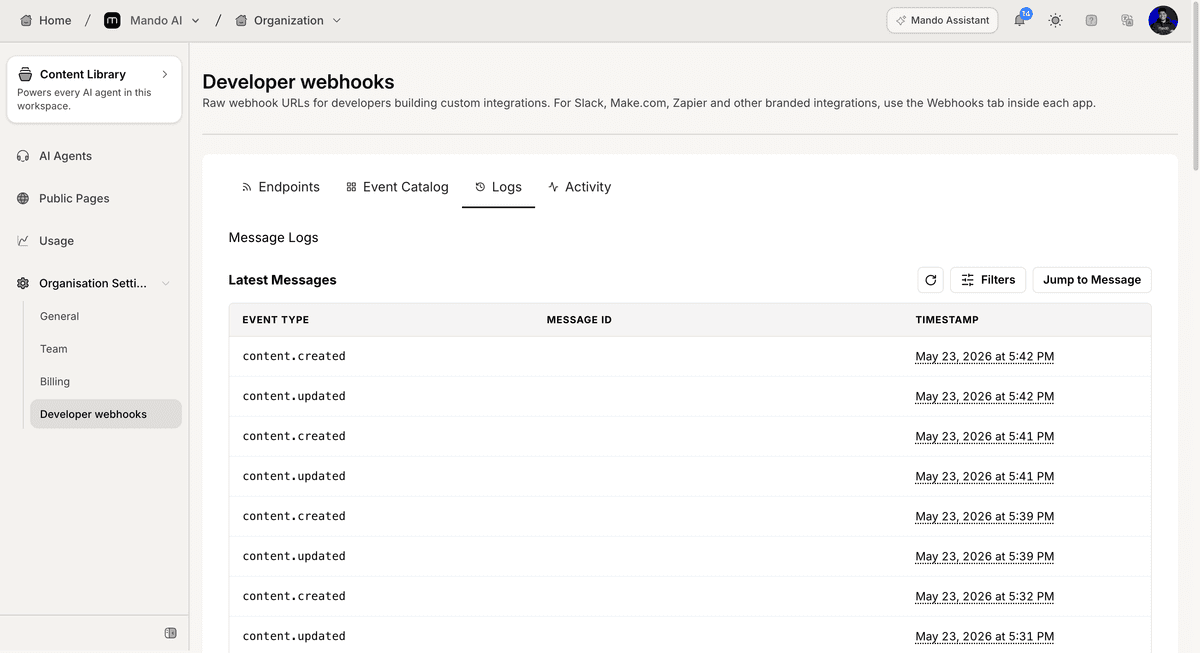
Open webhook logs
To access webhook logs:
Open Organization Settings
Open Developer webhooks
Open Logs
The Logs page displays recent webhook messages.
Review recent messages
The Latest Messages section displays message activity.
Available information includes:
event type
message ID
timestamp
Use this information to review recent webhook events.
Use log controls
The Logs page also includes message controls.
Available actions include:
Refresh
Filters
Jump to Message
These options help you locate specific webhook messages.
PRO TIP:
Use filters when troubleshooting webhook behavior to quickly locate specific events.