Connecting Salla allows Mando AI to sync store information and help your AI Agents answer customer questions automatically.
This is useful for:
product support
shipping questions
order-related FAQs
ecommerce automation
customer assistance
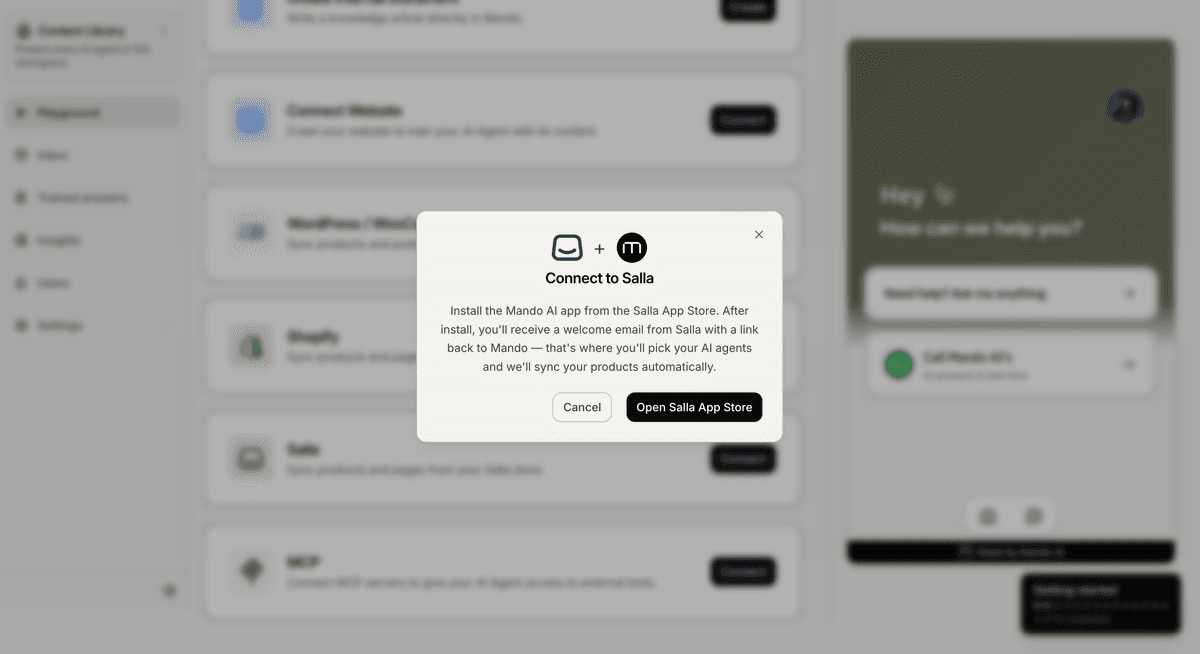
Open the Salla connection flow
To connect Salla:
Open your AI Agent workspace
Go to the Playground
Open the Train step
Click Salla
This opens the Salla connection flow.
Install the Mando AI app
After starting the connection:
Open the Salla App Store
Install the Mando AI app
Approve the requested permissions
Return to Mando AI
Once connected, your store content will begin syncing automatically.
Share content with AI Agents
Inside the Share With section, choose which apps can access the synced Salla content.
For example:
a Customer Support AI Agent
a Sales AI Agent
an ecommerce assistant
can all use the same store knowledge.
What content can Salla sync?
Salla integrations are commonly used to sync:
products
product information
ecommerce knowledge
store support content
This helps AI Agents answer customer questions more accurately and consistently.
Examples:
“Do you offer cash on delivery?”
“How long does shipping take?”
“Can I exchange this product?”
Improve ecommerce AI responses
For better AI performance:
keep product information updated
maintain clear return policies
update delivery and shipping details regularly
organize store content properly
Well-structured ecommerce content usually leads to better AI-generated answers.
Manage the integration later
After connecting Salla, you can:
re-sync content
update sharing permissions
connect additional AI Agents
combine Salla data with other content sources
Your synced content remains available until the integration is removed.
PRO TIP:
Add detailed shipping, refund, and payment information to your store content. These are some of the most common ecommerce support questions customers ask AI Agents.