Internal articles allow you to write and manage content directly inside Mando AI without relying on external tools or websites.
They are useful for:
FAQs
support procedures
onboarding guides
product information
internal workflows
company policies

Open the internal article editor
To create an internal article:
Open your AI Agent workspace
Go to the Playground
Open the Train step
Click Create Internal Document
This opens the internal article editor.
Add your article content
Inside the editor:
Add a title for your article
Write your content
Organize the article using headings and formatting
Save the article
Your AI Agent can immediately start using the article content after it is saved.
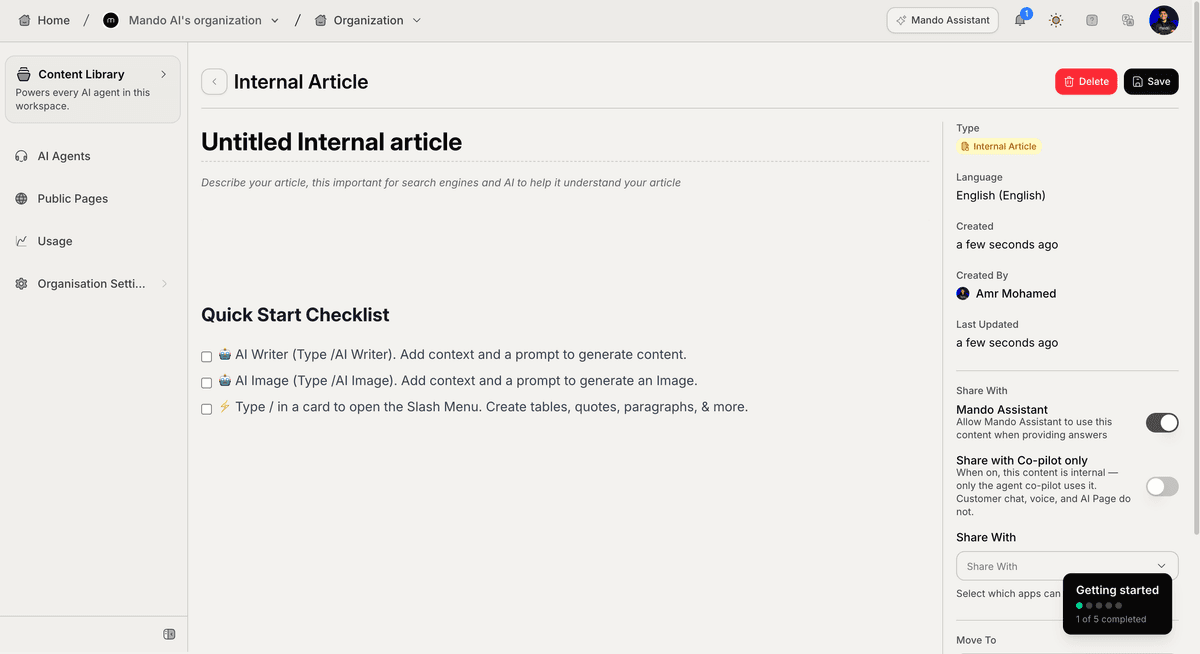
Format your article
The editor supports multiple formatting blocks and slash commands.
You can add:
headings
bullet lists
numbered lists
quotes
code blocks
tables
images
This helps create clean and structured knowledge for your AI Agents.
Use AI Writer
Mando AI includes an AI Writer inside the editor.
To generate content using AI:
Type
/Select AI Writer
Describe what you want to generate
Choose a writing tone
Click Generate
This is useful for quickly drafting:
help articles
FAQs
onboarding content
support documentation
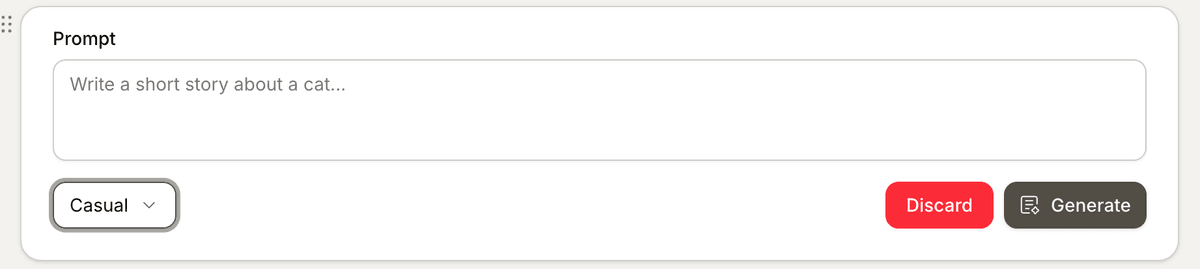
You can also set the tone:
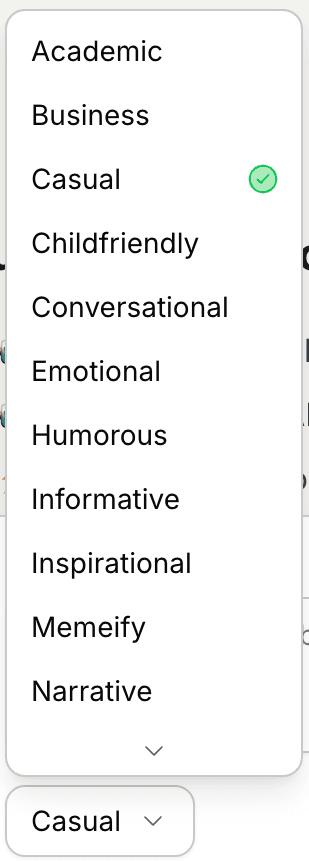
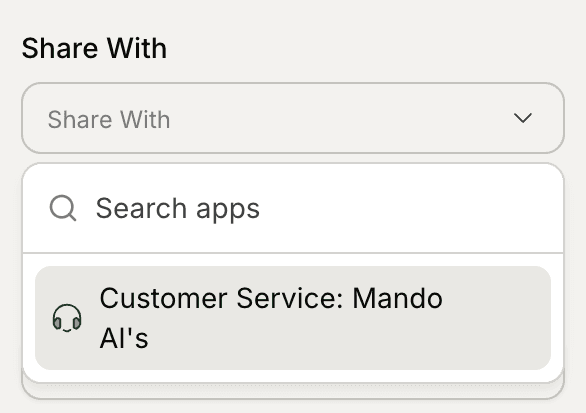
Share articles with AI Agents
Inside the article settings, choose which apps can access the content.
This allows multiple AI Agents to reuse the same internal knowledge.
For example:
a Customer Support AI Agent
an internal assistant
a Sales AI Agent
can all access the same article.
Organize articles using collections
Articles can be organized into collections to keep your workspace structured.
Collections are especially useful for:
Help Centers
large documentation libraries
internal knowledge bases
You can move articles between collections later at any time.
PRO TIP:
Internal articles work best for information that does not exist publicly on your website, such as internal workflows or private support instructions.