URL exclusions help you control which pages your AI Agent can access and use during conversations.
This is useful for excluding:
admin pages
checkout pages
account areas
duplicate content
internal tools
unnecessary pages
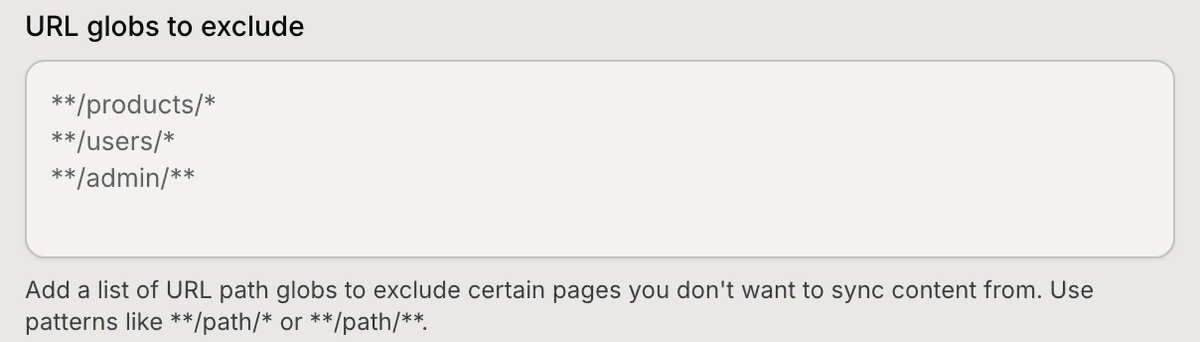
Open the website sync settings
To exclude pages from syncing:
Open Content Library
Stay inside the Sources tab
Open your website source
Find URL globs to exclude
Inside this field, you can add URL patterns that should be ignored during crawling.
Add exclusion patterns
Mando AI supports wildcard URL patterns using globs.
Examples:
/admin/*
/checkout/*
/account/*
These rules tell Mando AI to skip matching pages during syncing.
This helps reduce unnecessary or private content inside your AI knowledge base.
Exclude ecommerce pages
For ecommerce stores, it is common to exclude:
cart pages
checkout pages
customer account pages
order tracking pages
Example:
/cart/*
/checkout/*
/my-account/*
This keeps transactional pages out of your AI training content.
Exclude internal or temporary pages
You may also want to exclude:
staging pages
preview URLs
internal tools
temporary landing pages
Example:
/staging/*
/preview/*
/internal/*
Only publicly useful content should normally be included in your AI knowledge.
Re-sync after updating exclusions
After changing exclusion rules:
Save your changes
Run a new sync
Mando AI will reprocess your website using the updated rules.
Best practices for exclusions
Try to keep only:
customer-facing pages
documentation
FAQs
product information
policy pages
Avoid syncing:
duplicate pages
login-required pages
temporary pages
backend tools
This usually improves answer quality and reduces irrelevant AI responses.
PRO TIP:
If your AI Agent gives unrelated or confusing answers, review your synced pages and exclude low-quality or unnecessary URLs.