Collections help you group related articles and content together, making it easier to manage large knowledge bases and structure your Help Center content.
They are especially useful for:
Help Centers
documentation portals
ecommerce support content
internal knowledge bases
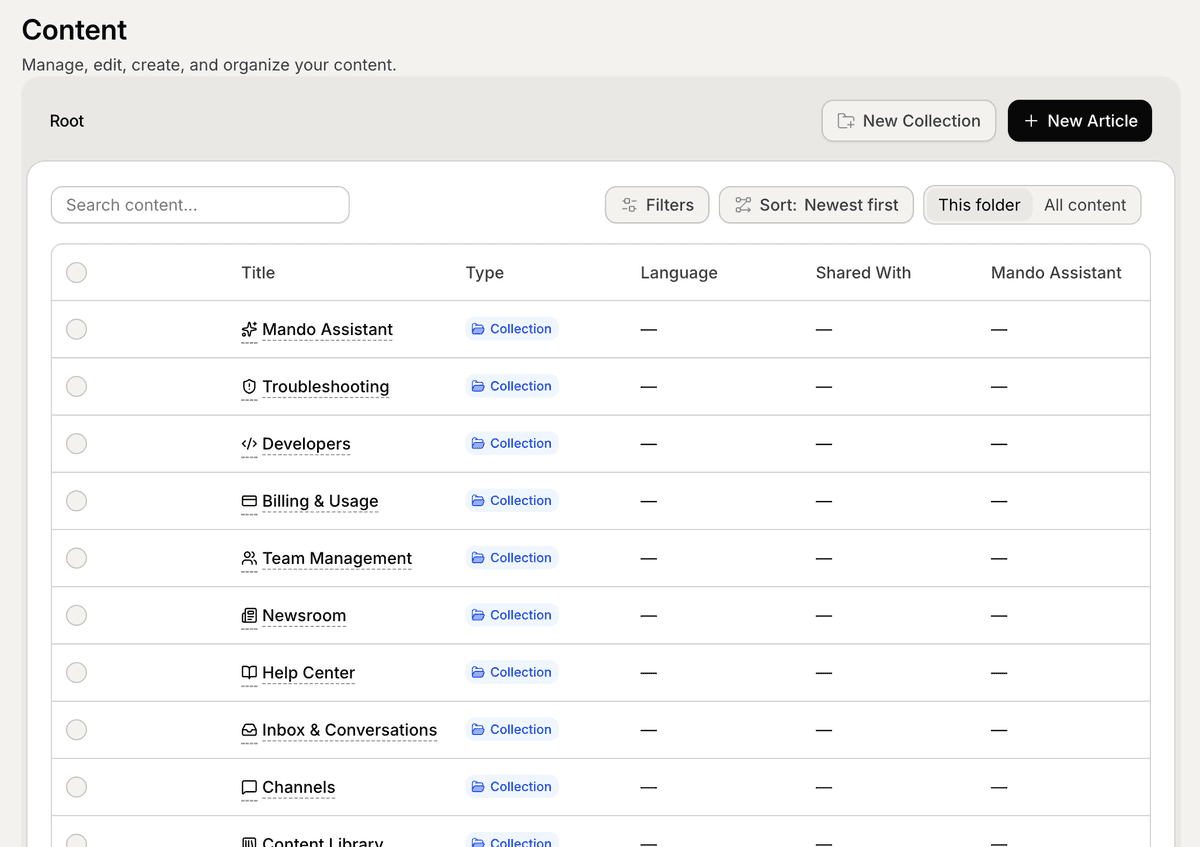
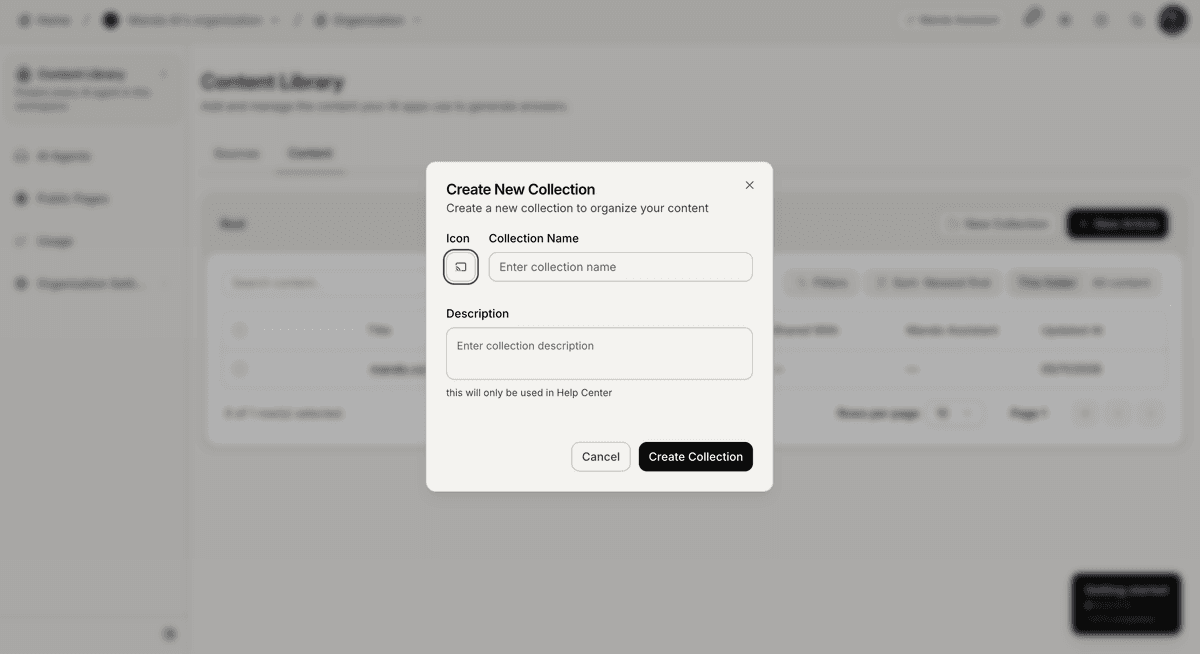
Create a new collection
To create a collection:
Open Content Library
Go to the Content tab
Click New Collection
Add a collection name
Optionally add a description and icon
Click Create
Your new collection will appear inside the content list.
Add content to a collection
After creating a collection, you can add:
internal articles
snippets
imported content
To add content:
Open the collection
Click New Article
Create or import your content
This helps keep related topics grouped together.
Use collections for Help Centers
Collections are commonly used to structure Help Center content.
For example, you can create collections like:
Getting Started
AI Agents
Content Library
Billing & Usage
Troubleshooting
Collections help visitors navigate documentation more easily.
Move content between collections
You can move articles and snippets between collections at any time.
To move content:
Open the article or snippet
Find the Move To option
Select the target collection
Save your changes
This allows you to reorganize your documentation as your workspace grows.
Search and sort content
Inside the Content tab, you can:
search content
sort articles
browse collections
view all content
Available sorting options include:
Newest first
Oldest first
Recently updated
Title A → Z
Title Z → A
Best practices for collections
Try to organize collections by:
topic
workflow
feature area
customer journey
Avoid:
creating too many small collections
mixing unrelated content
duplicating information
A clean structure makes your Help Center easier to manage and navigate.
PRO TIP:
Start with a small number of broad collections first. You can always split them into more detailed sections later as your content grows.