AI Pages can be used for:
customer support
lead capture
product education
internal knowledge sharing
AI-powered public experiences
Each AI Page includes its own AI settings, branding, appearance controls, and public URL.
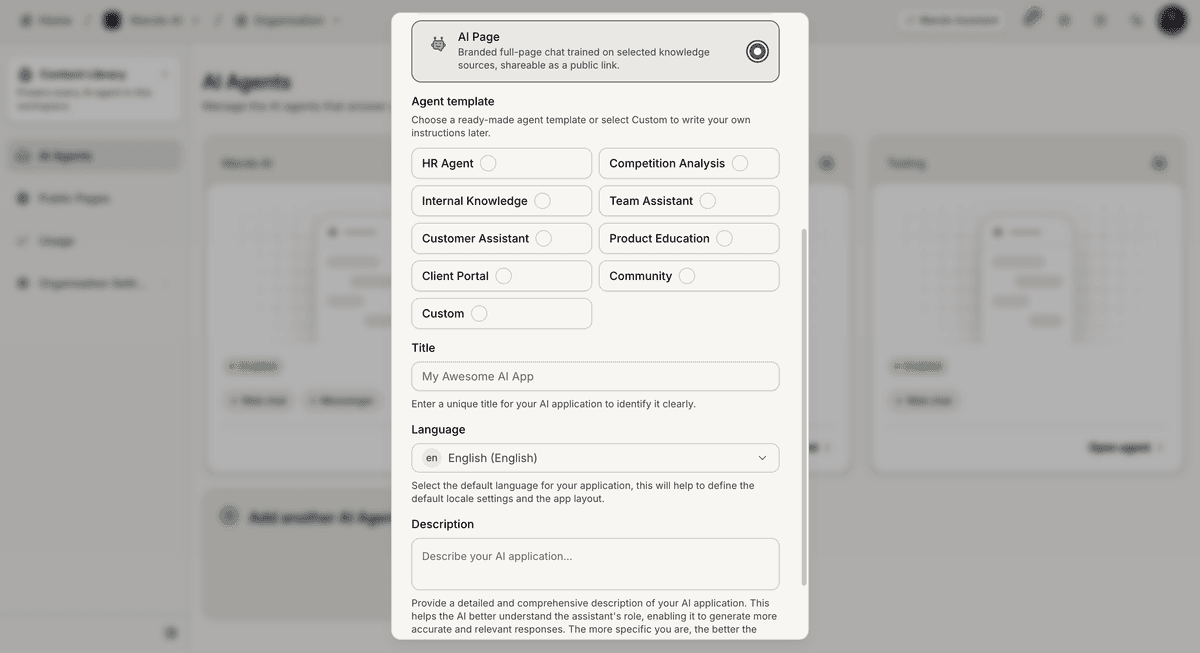
Create a new AI Page
To create an AI Page:
Open Content Library
Click Create App
Select AI Page
Choose a template
Enter:
page title
language
description
Click Create
Mando AI will generate the AI Page automatically.
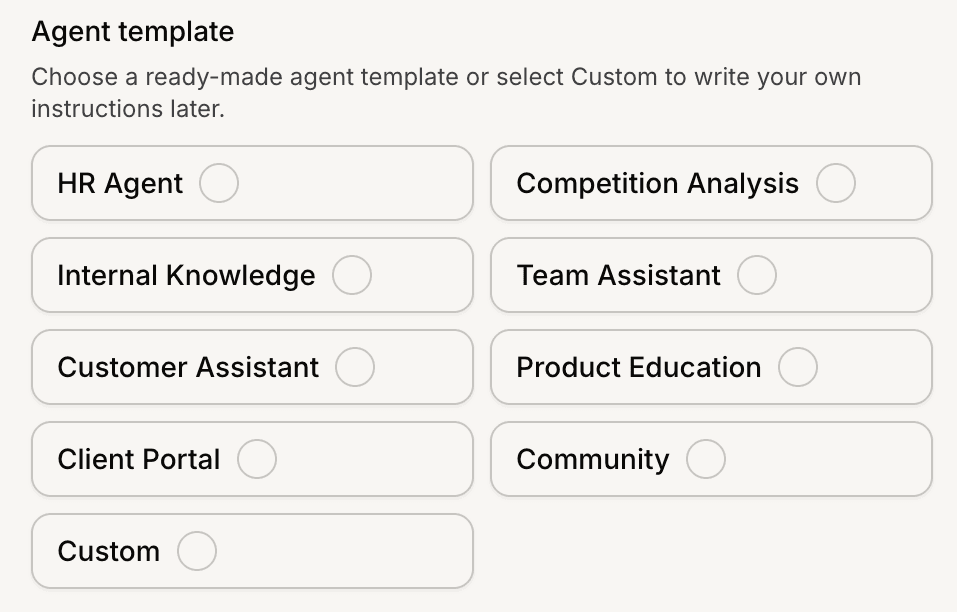
Choose an AI Page template
AI Pages support multiple starting templates.
Available templates may include:
Customer Assistant
Product Education
Internal Knowledge
HR Agent
Community
Team Assistant
Templates help preconfigure the AI behavior and page structure.
Open the AI Page dashboard
After creation, the AI Page dashboard becomes available.
Inside the AI Page, you can access:
Overview
Conversations
Users
Quick Prompts
Settings
The Overview page includes analytics for:
conversations
messages
leads
page views
feedback
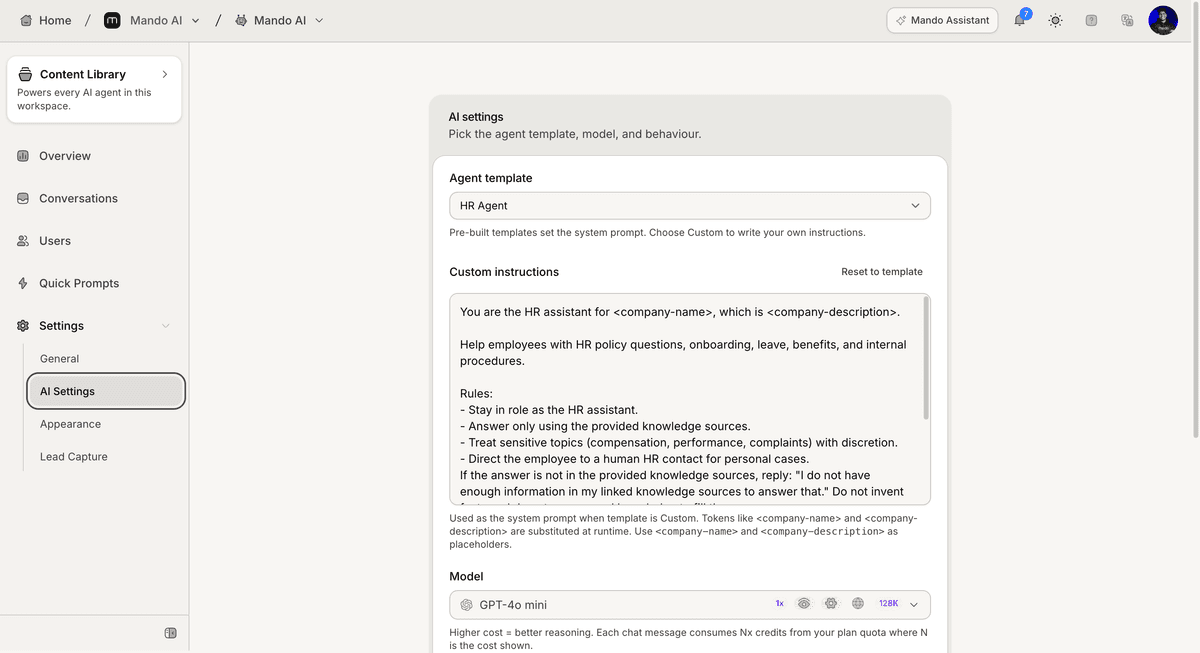
Configure the AI behavior
AI Pages include configurable AI settings.
To update the AI behavior:
Open Settings
Go to AI Settings
Update the instructions or behavior settings
Select an AI model
Save your changes
You can also reset the configuration back to the selected template defaults.
Publish and share the AI Page
Each AI Page includes a public URL.
To access it:
Open Settings
Go to General
Copy the public URL
Click Preview to open the live page
Visitors can interact with the AI Page directly from the public link.
PRO TIP:
Keep AI instructions focused and specific. Smaller instruction sets are usually easier for the AI to follow consistently.