Custom domains let you publish AI Pages using your own branded domain instead of the default Mando AI URL.
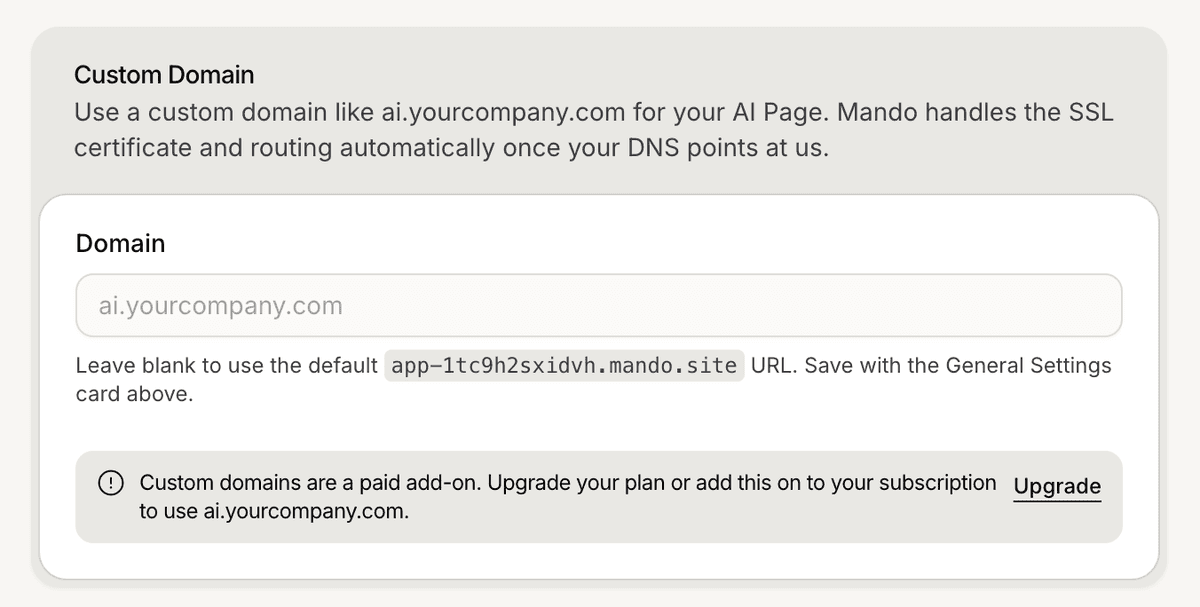
Open the domain settings
To configure a custom domain:
Open your AI Page
Go to Settings
Open General
Scroll to Custom Domain
The custom domain configuration section is available inside the General settings.
Add a custom domain
To add a domain:
Enter your domain in the domain field
Save the changes
The domain is then connected to the AI Page configuration.
Review domain availability
The Custom Domain section also displays domain availability information.
The interface may display notices related to:
add-on requirements
domain availability
configuration status
Preview the AI Page URL
The General settings also include the public AI Page URL.
To preview the page:
Open Settings
Go to General
Click Preview
This helps verify that the AI Page is publicly accessible.

PRO TIP:
Use a short and recognizable domain name to make public AI Pages easier to share with customers and visitors.