Testing helps verify that:
nodes connect correctly
conditions work properly
messages appear in the correct order
workflows do not break unexpectedly
Testing is especially important for complex automation workflows.
Open the flow builder
To test a flow:
Open your AI Agent workspace
Go to Automations
Open the Flows tab
Create or edit a flow
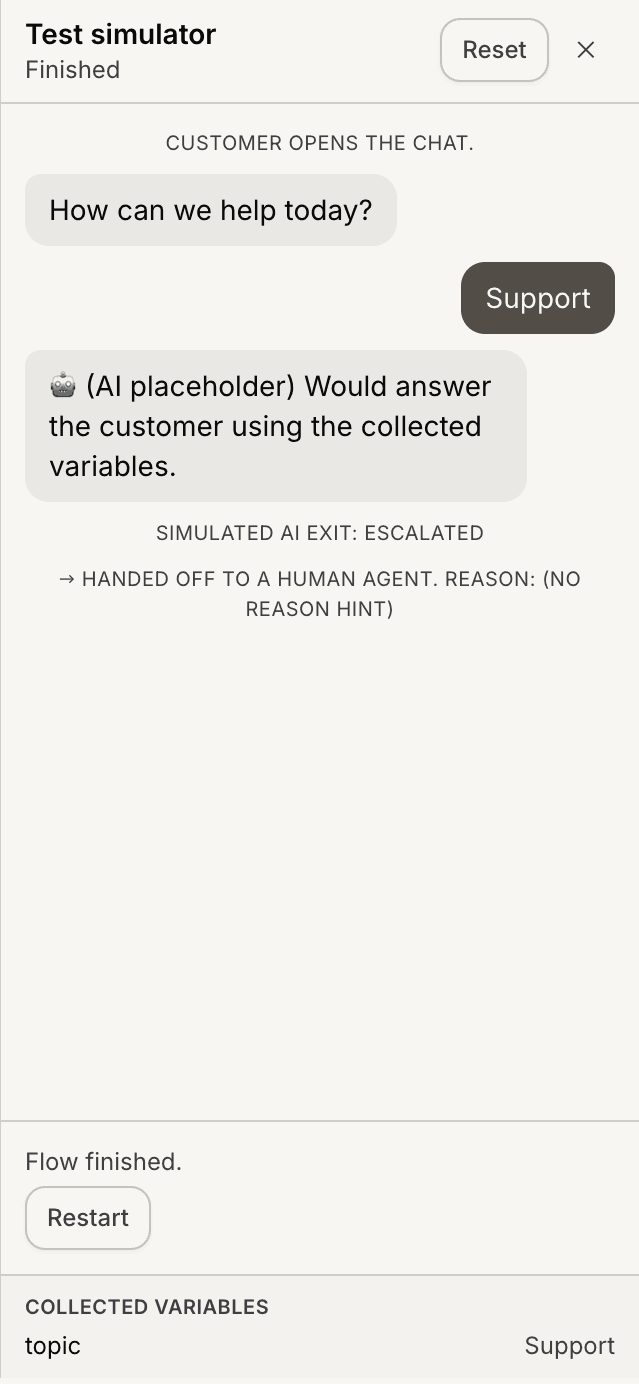
Inside the flow builder, you can test the workflow before publishing it.
Open the test simulator
Inside the flow builder:
Open the testing panel or simulator
Start a test conversation
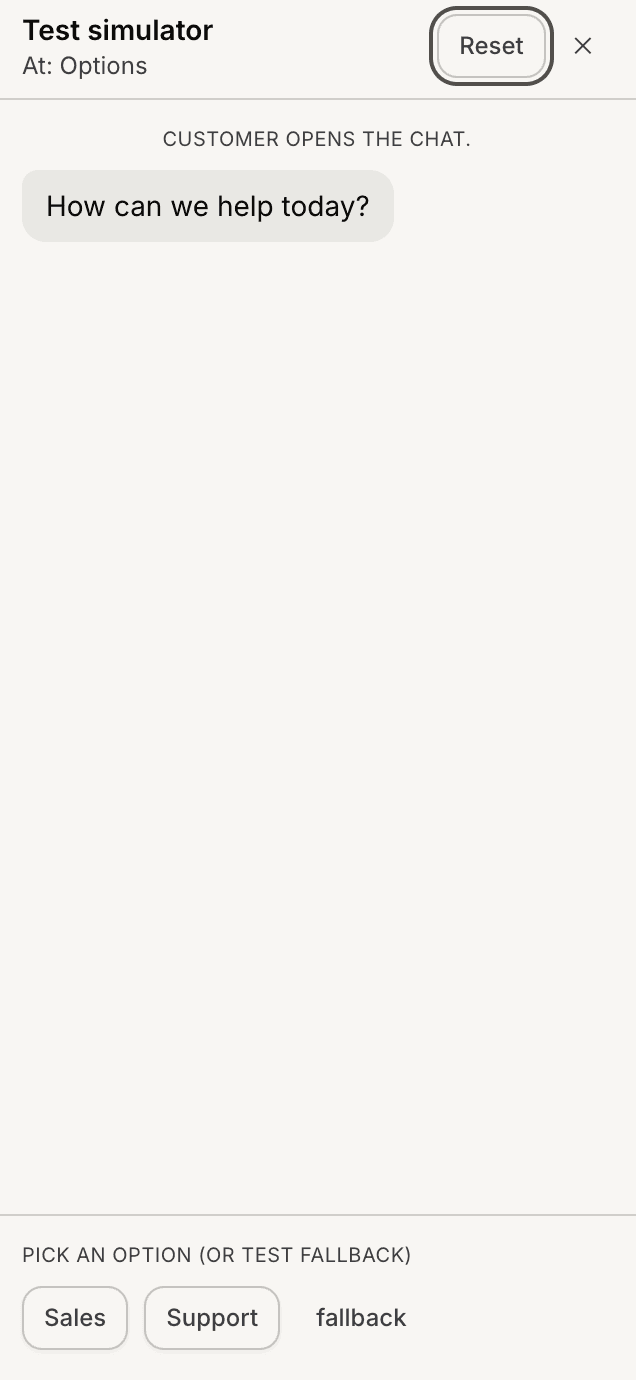
The simulator allows you to interact with the flow as a customer.
Test conversation paths
During testing:
select options
submit inputs
trigger conditions
review AI responses
This helps verify that the workflow behaves correctly across different paths.
Verify validation behavior
When using:
Collect Input
AI Actions
validation rules
test different inputs to confirm:
required fields work correctly
invalid formats are handled properly
workflows continue as expected
Test branch conditions
If the flow uses Branch nodes:
trigger different conditions
verify routing behavior
confirm the correct path is selected
Testing every branch path helps prevent broken workflows.
Test webhook workflows
If the flow includes webhook nodes:
submit sample data
verify requests are sent
confirm external systems receive the data correctly
Webhook testing helps identify integration issues early.
Test Human Handover flows
If the workflow includes Human Handover:
trigger escalation paths
confirm the handoff behavior works correctly
This helps ensure support escalations happen properly.
Update and retest flows
After making workflow changes:
rerun tests
verify updated logic
review conversation behavior again
Even small flow changes can affect automation behavior.
Best practices for flow testing
For more reliable automations:
test every major path
review edge cases
validate important fields
keep workflows manageable
Well-tested flows usually create smoother customer experiences.
PRO TIP:
Test flows using realistic customer behavior instead of ideal scenarios. Unexpected inputs often reveal the most important workflow issues.