Webhook nodes allow workflows to:
send customer data
trigger external automations
connect third-party systems
update external tools
sync collected information
This is useful for:
CRM integrations
lead routing
external workflows
custom backend automation
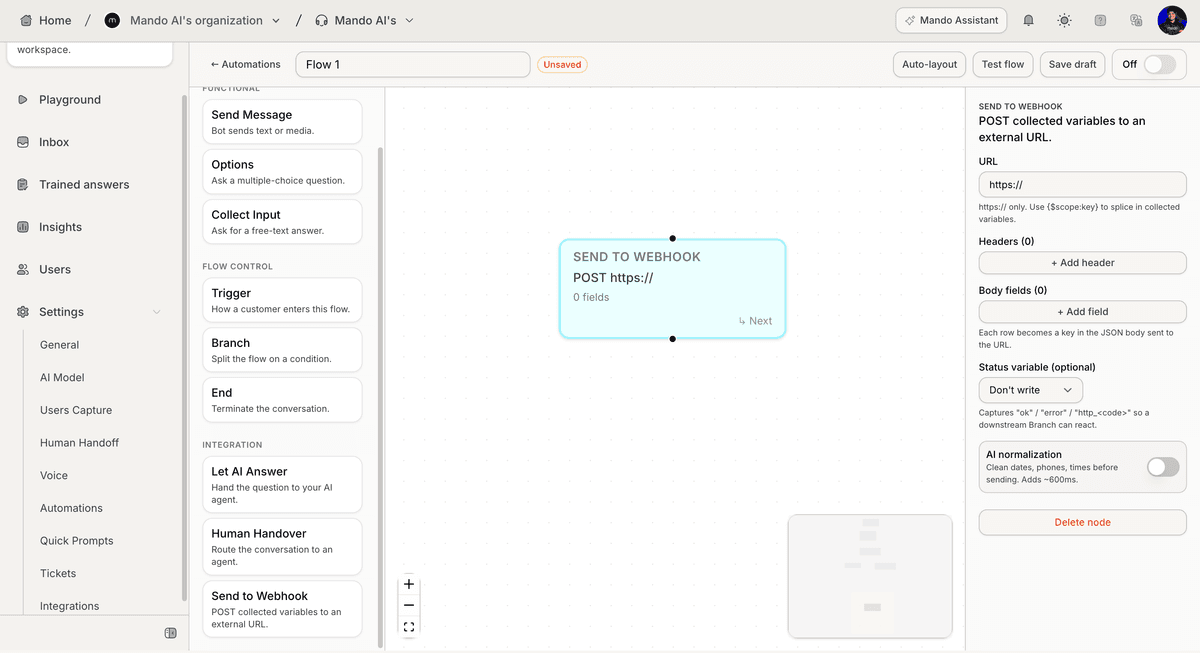
Open the flow builder
To connect a webhook:
Open your AI Agent workspace
Go to Automations
Open the Flows tab
Create or edit a flow
Inside the flow builder, you can add webhook nodes to your workflow.
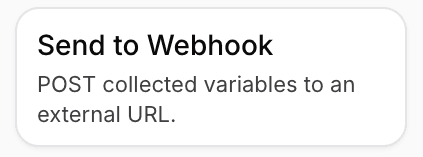
Add a Send to Webhook node
To send data externally:
Click + Add Node
Select Send to Webhook
Connect the node to your workflow
This node allows the flow to send information outside Mando AI.
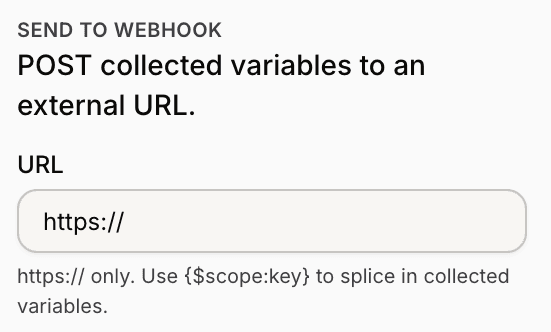
Configure the webhook URL
Inside the node settings:
Enter the webhook URL
Review the request configuration
Save the node settings
The webhook URL defines where the collected data will be sent.
Send collected variables
Webhook nodes can use collected variables from the workflow.
Examples may include:
customer name
email
phone number
form inputs
collected responses
These variables can be inserted into the webhook payload.
Use webhooks with AI Actions
Webhook nodes work especially well with:
AI Actions
Collect Input nodes
Guided Flows
lead collection workflows
This allows customer information to move into external systems automatically.
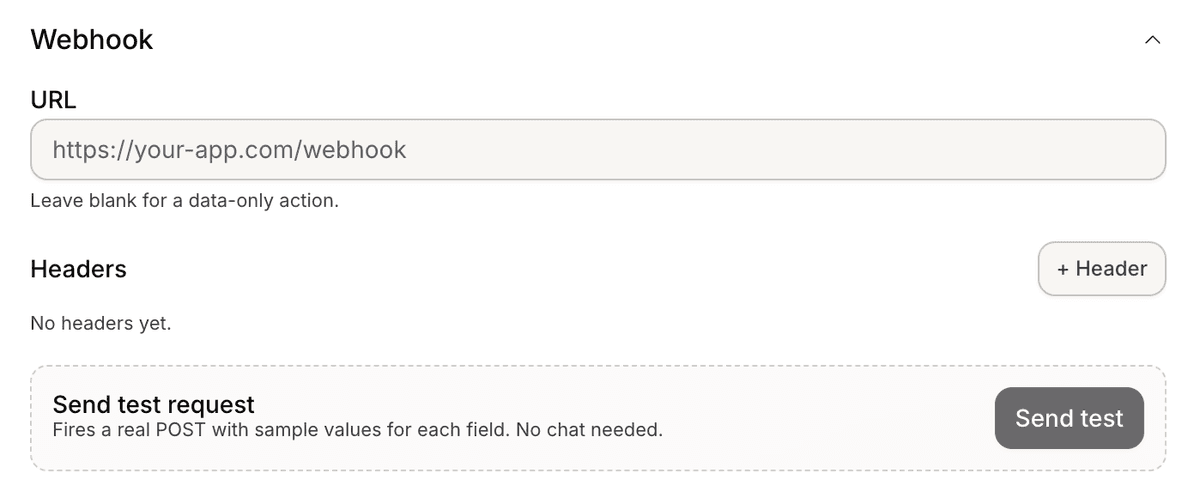
Test the webhook workflow
Before enabling the automation publicly:
Run a test flow
Submit sample customer data
Verify the webhook receives the request
Review the external system behavior
Testing helps identify integration issues early.
Handle failed workflows carefully
If the external webhook is unavailable:
requests may fail
workflows may stop
customer actions may not complete correctly
Always test external systems before using them in production workflows.
Best practices for webhook automations
For more reliable workflows:
validate collected fields first
test with sample payloads
keep workflows simple
monitor external integrations regularly
Reliable external systems usually create smoother automation experiences.
PRO TIP:
Start with simple webhook workflows first before building larger multi-step automations. Smaller flows are usually easier to test and maintain.