Guided Flows allow you to control how conversations move step-by-step using:
questions
options
conditions
AI responses
webhooks
Human Handover
This is useful for:
lead collection
support workflows
onboarding
booking flows
ecommerce assistance
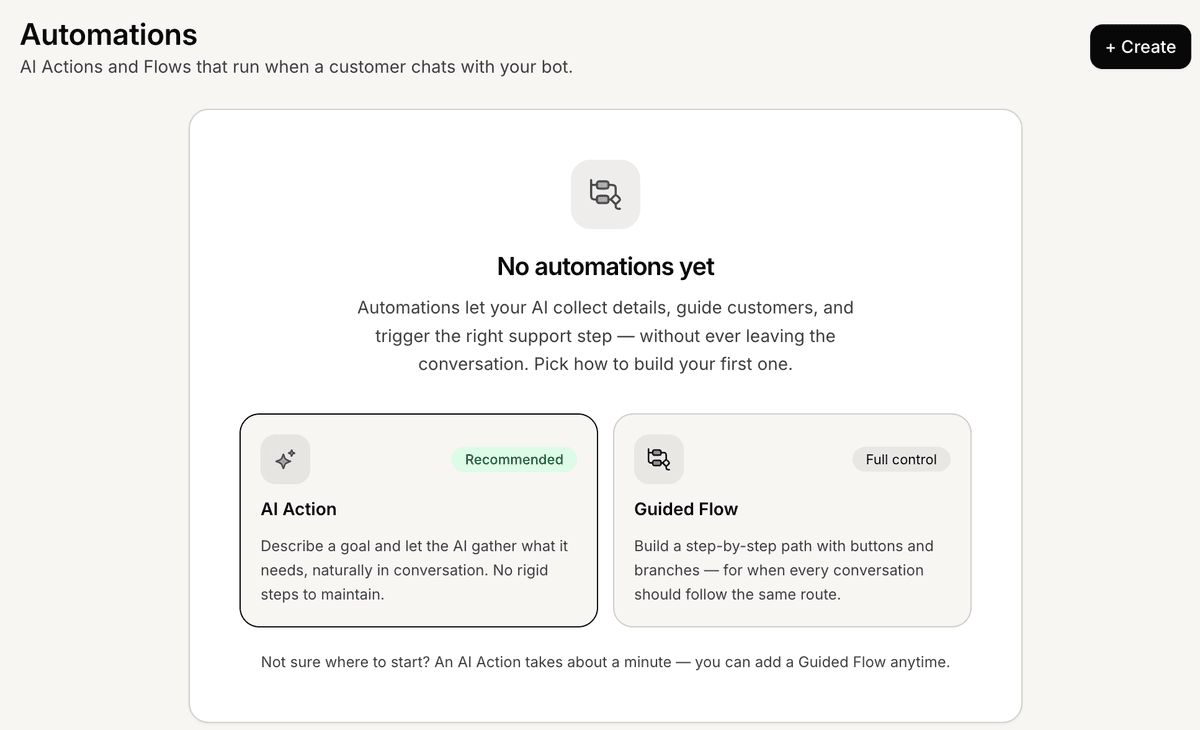
Open the Flows section
To create a Guided Flow:
Open your AI Agent workspace
Go to Automations
Open the Flows tab
Click Create Flow
This opens the flow builder.
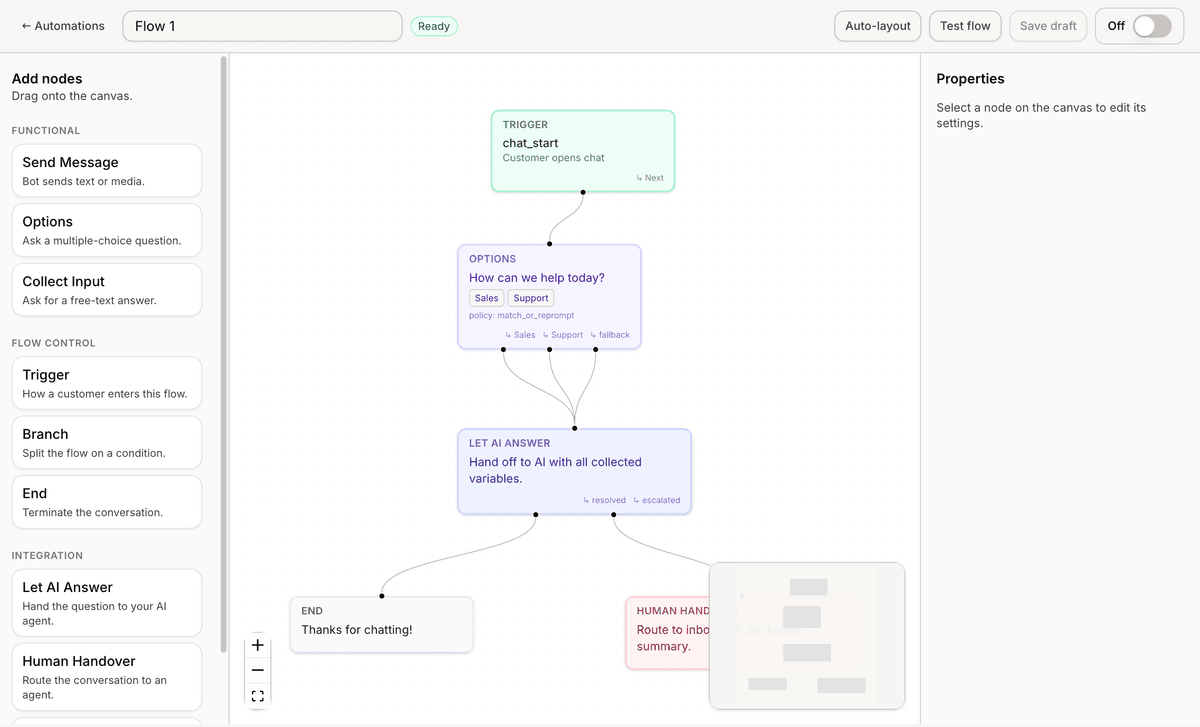
Understand the flow canvas
Inside the flow builder, you can create workflows using connected nodes.
The canvas allows you to:
add nodes
connect steps
organize logic
test conversation flows
Each node represents a step inside the customer experience.
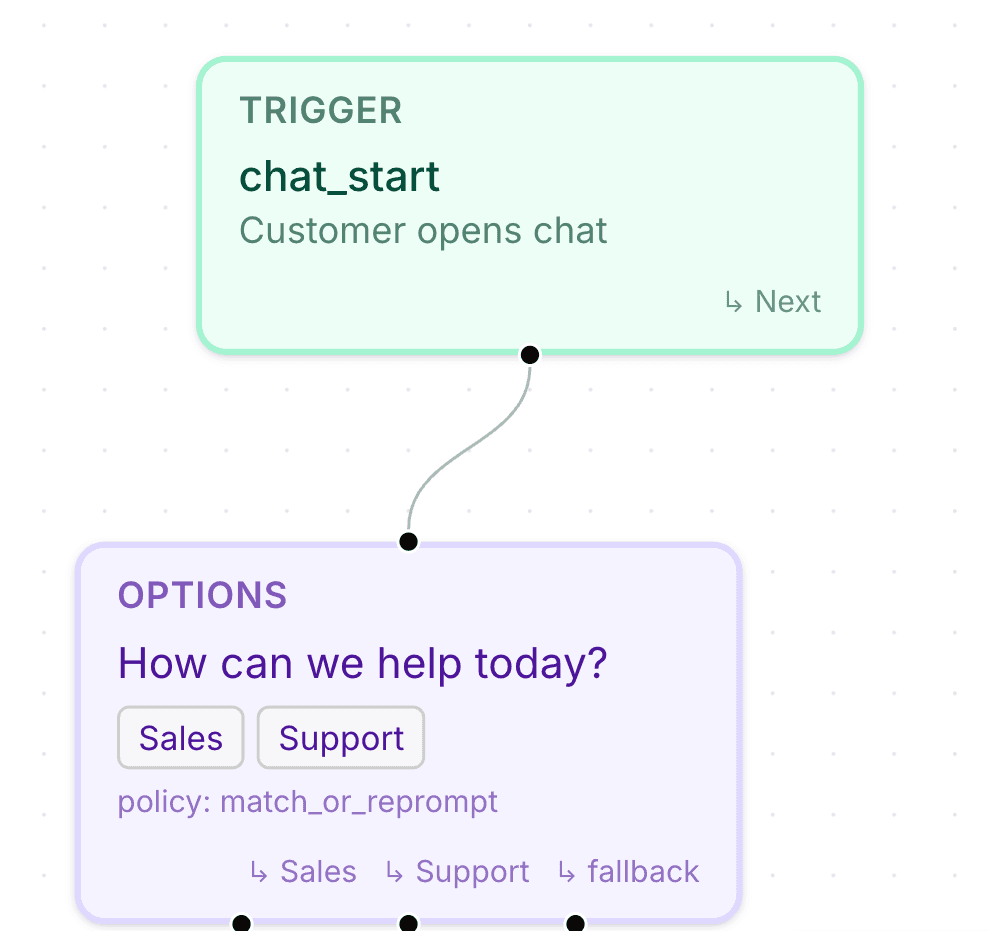
Start with a Trigger node
Every flow starts with a Trigger node.
The Trigger defines when the flow should begin.
The visible trigger shown in the flow builder is:
Customer opens chat
This starts the flow when a customer begins a conversation.
Add conversation nodes
You can continue building the flow using available nodes such as:
Send Message
Collect Input
Options
Let AI Answer
Human Handover
Send to Webhook
Branch
Each node controls a different part of the conversation experience.
Connect nodes together
To connect steps:
Drag from one node connector
Connect it to another node
Continue building the workflow
This controls how conversations move through the flow.
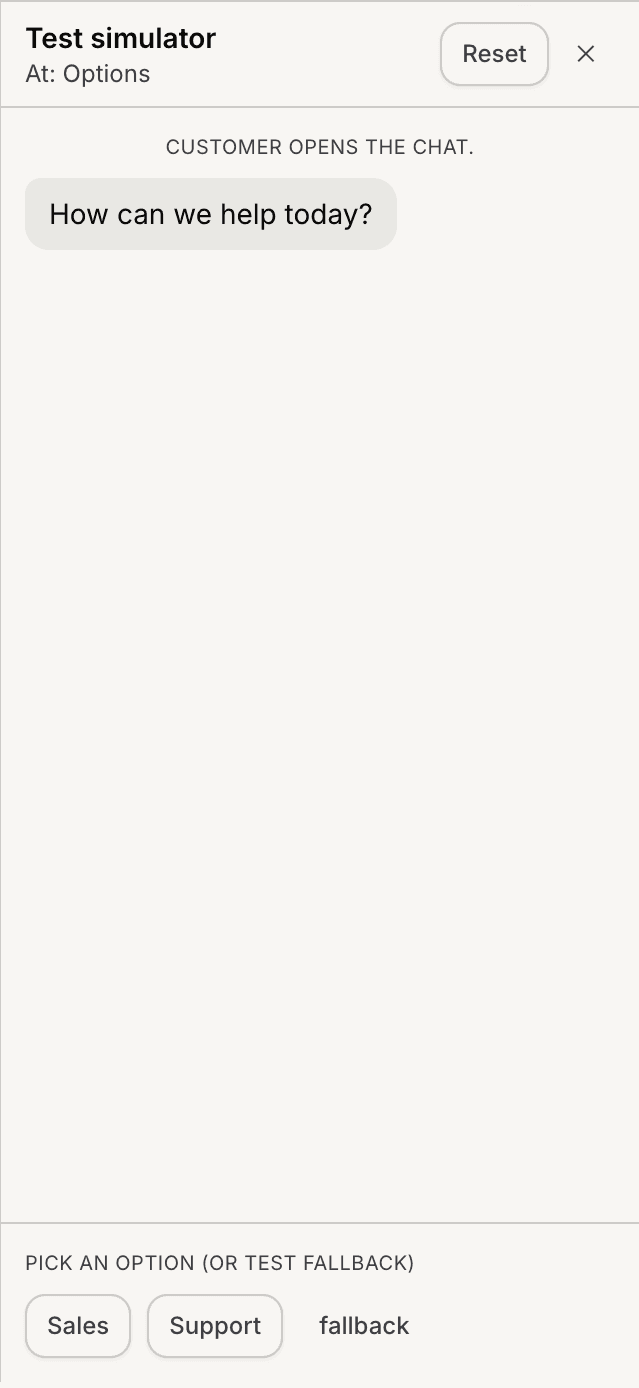
Test your flow
Inside the builder, use the test panel to simulate conversations.
Testing helps you:
verify flow behavior
review branching logic
validate customer inputs
identify workflow issues
Always test flows before enabling them publicly.
Save your flow
After building the workflow:
Click Save
Review the flow status
Enable the flow if needed
Flows can later be edited and updated at any time.
Use Guided Flows for structured workflows
Guided Flows work especially well for:
lead qualification
appointment requests
support routing
onboarding workflows
ecommerce assistance
Structured workflows usually create more predictable customer experiences.
Best practices for Guided Flows
For better flow experiences:
keep flows simple
avoid unnecessary branching
ask short questions
test every possible path
Shorter workflows are usually easier for customers to complete.
PRO TIP:
Start with a small workflow first. After testing real conversations, you can gradually expand the flow with more conditions and logic.